0 bytes
of clip content
sent to any server
100ms
panel opens,
every time
Unlimited
clipboard history
on your Mac
Free
in early access
yours to keep

The Smart Clipboard
for Developers

Don't just store code. Format JSON, decode JWTs, run OCR on stack traces, and link context—automatically.

Free while in early access · Join now and keep it free for good · No credit card
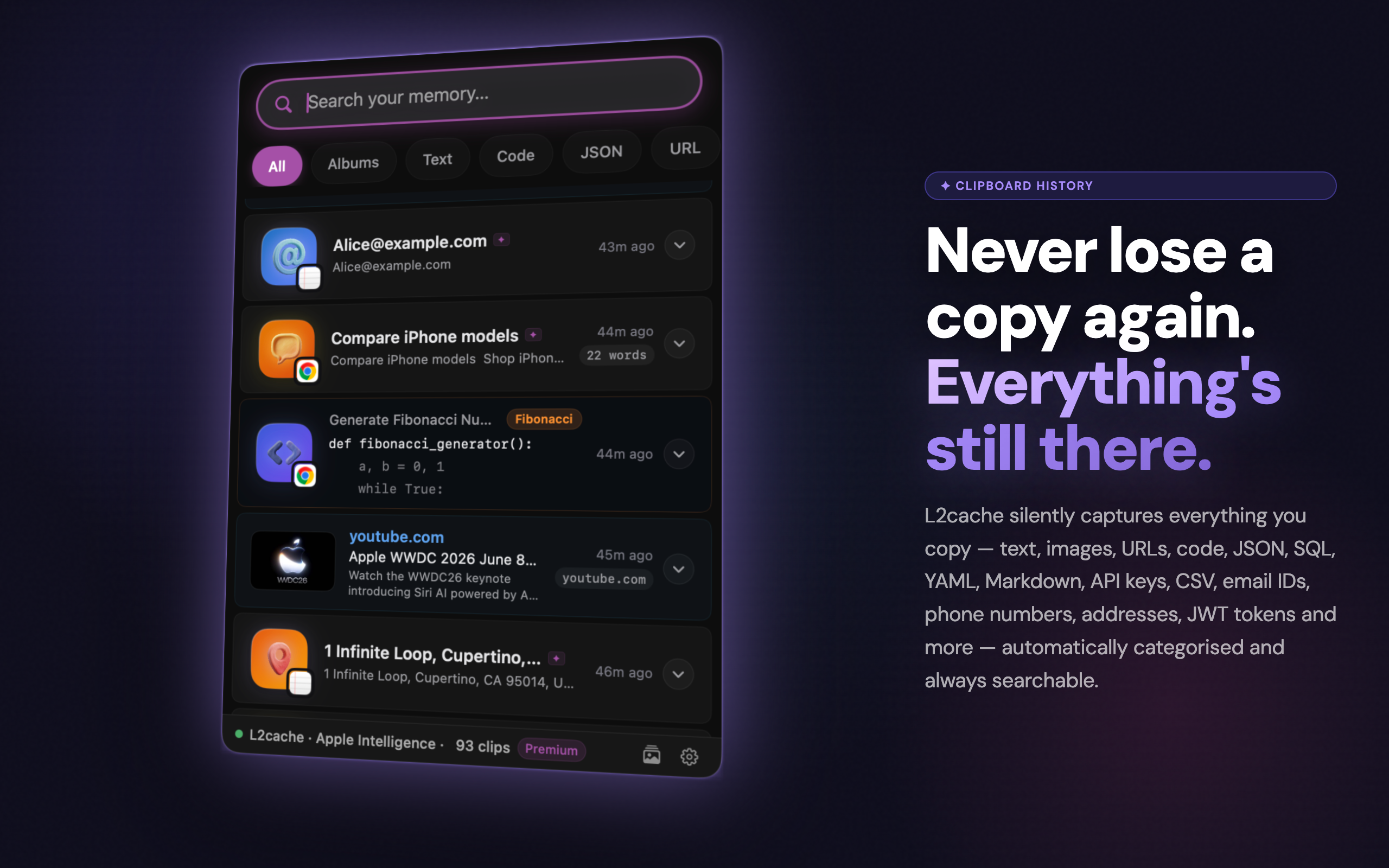
Clipboard History — L2Cache Terminal History — L2Cache Instant Search — L2Cache AI Titles — L2Cache Smart Transform — L2Cache Developer Tools — L2Cache Smart Albums — L2Cache Local AI — L2Cache Spotlight Search — L2Cache QR Code — L2Cache

Trusted by engineers at innovative companies

GlobalTech
CloudNative
FinScale
Medly
DataMap

Built for code.
Not just text.

L2Cache doesn't just store strings. It understands code, extracts errors, and connects context. Scroll through to see each tool in action.

Read the Developer Guide

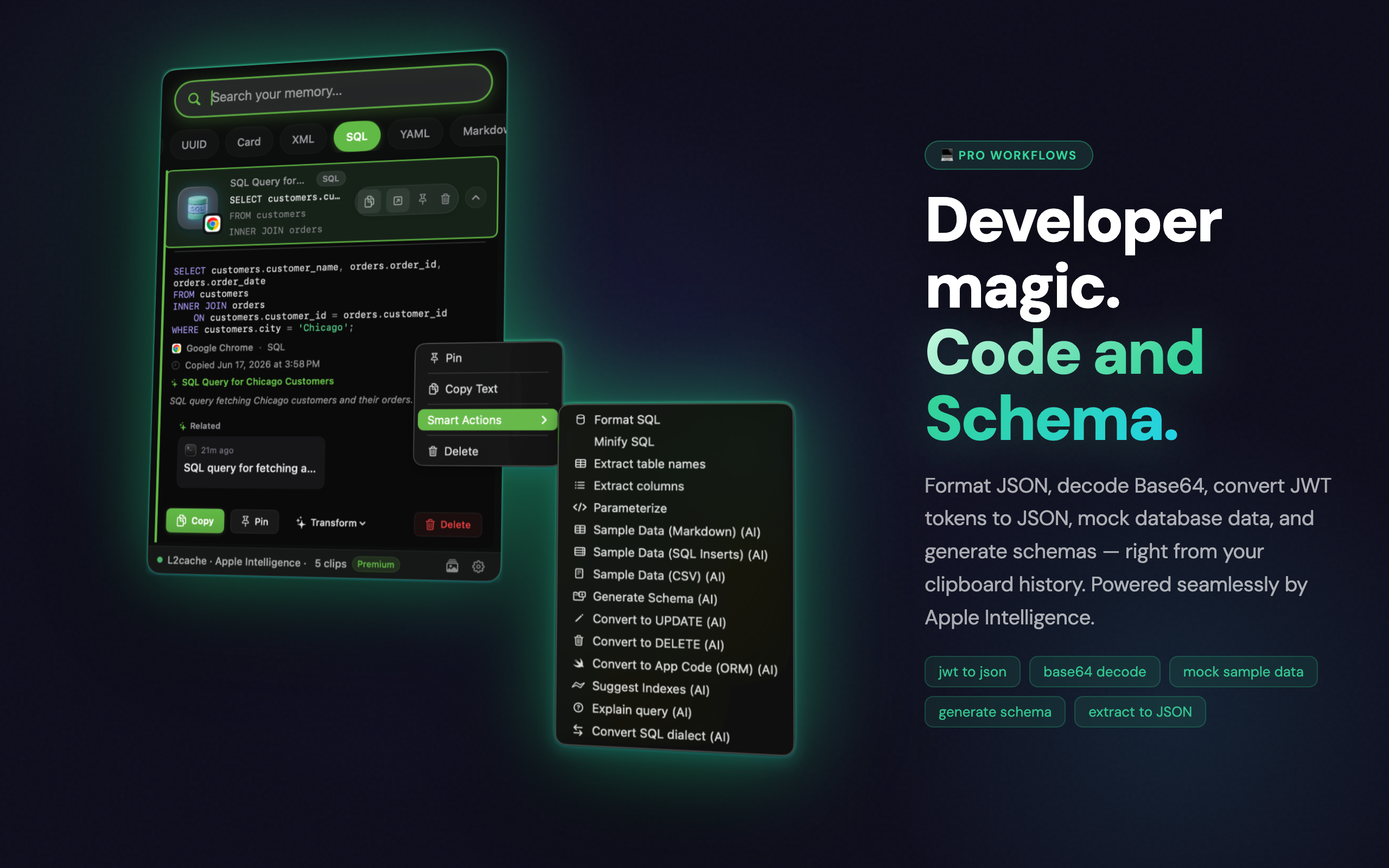
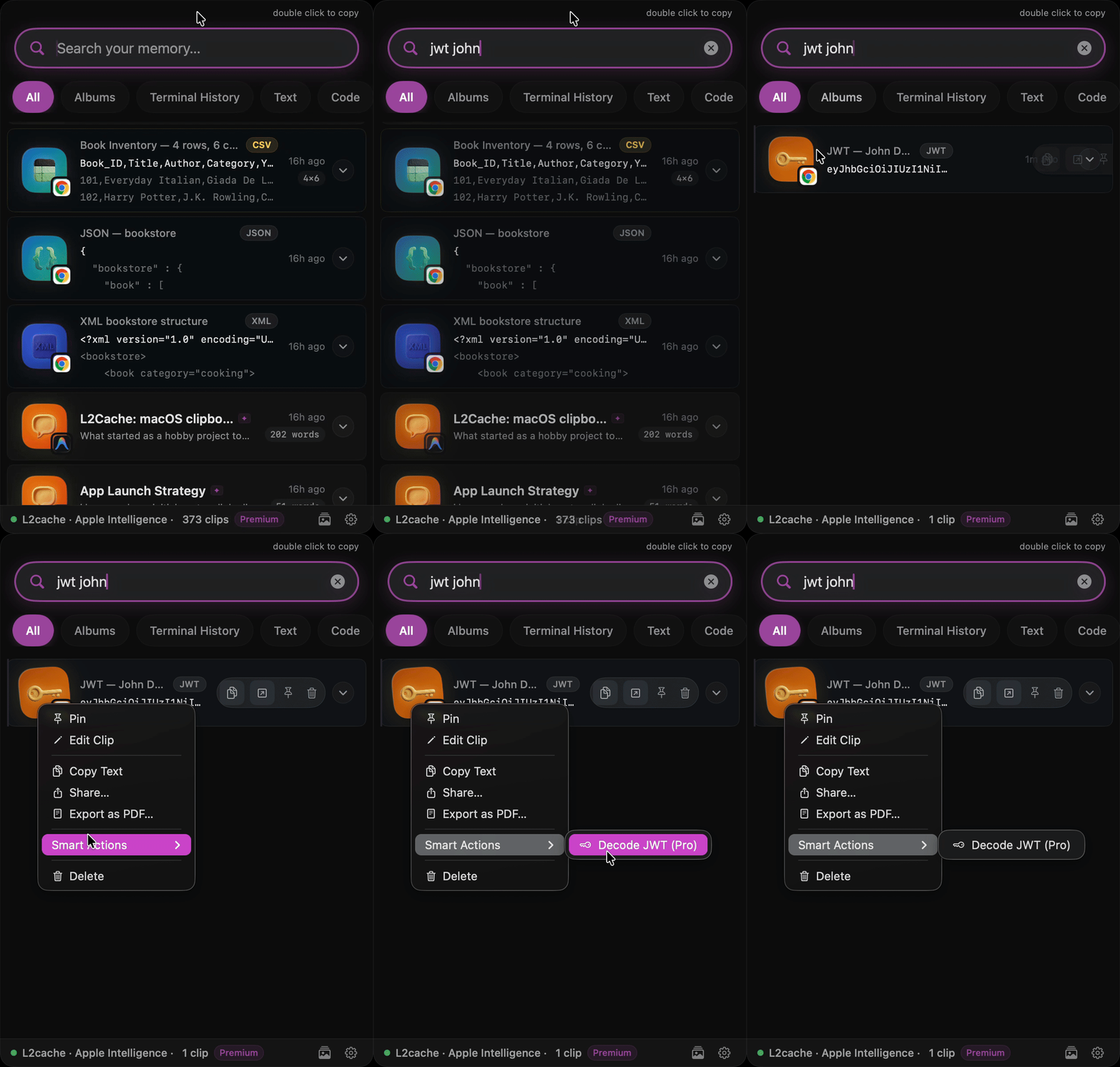
Decode JWTs & Format JSON

Click any raw JWT or minified JSON to instantly decode and format it on-device. No more pasting into random browser tabs.

Format JSON and Decode JWT

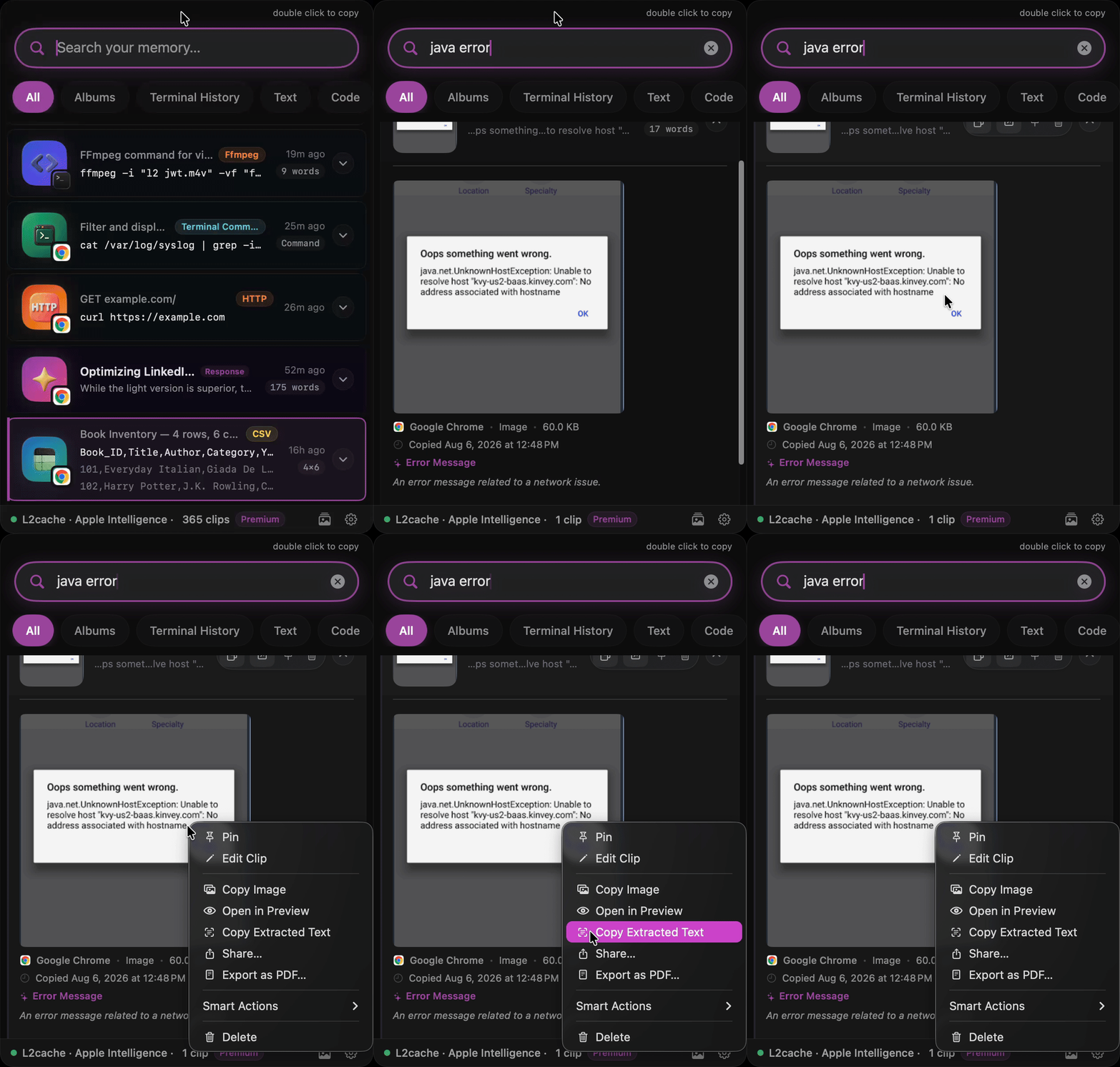
OCR for Stack Traces

Someone sent a screenshot of an error? Copy it. L2Cache extracts the text instantly using Apple's Vision framework.

Extract text from screenshot OCR

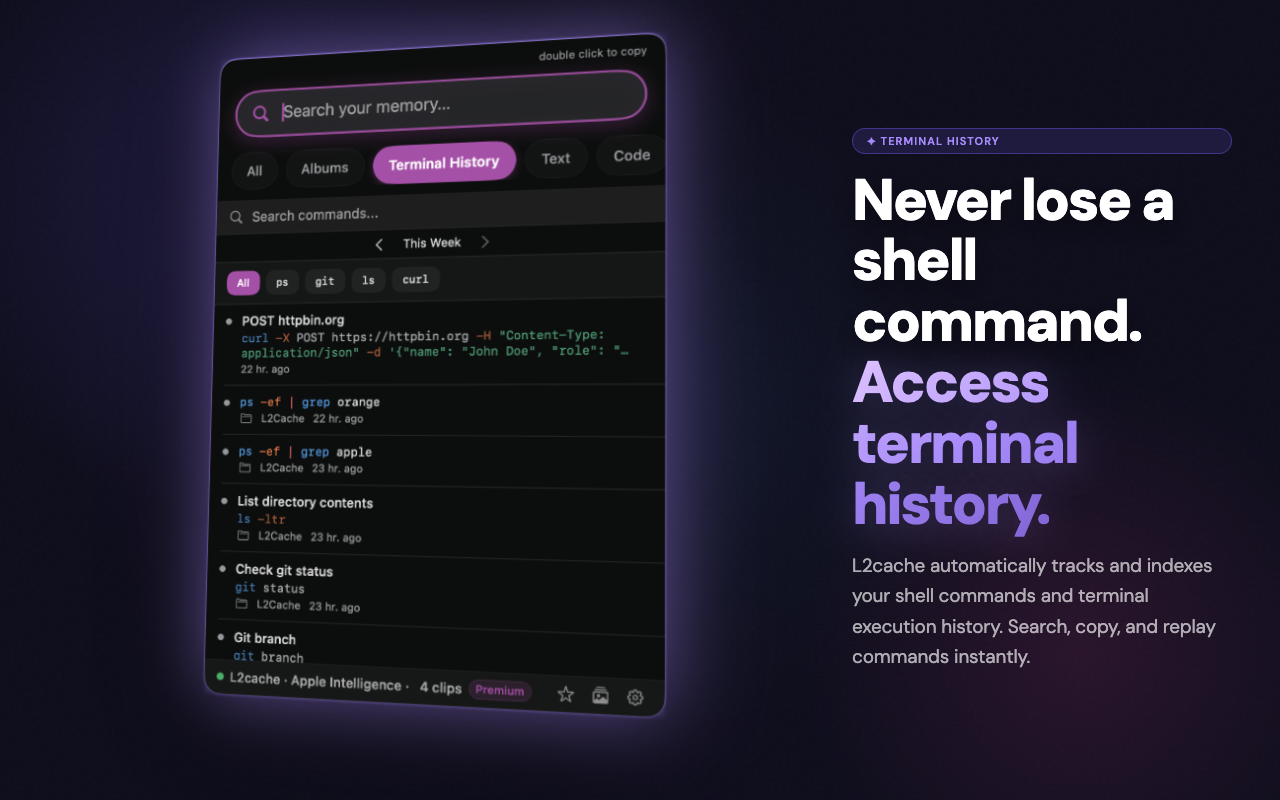
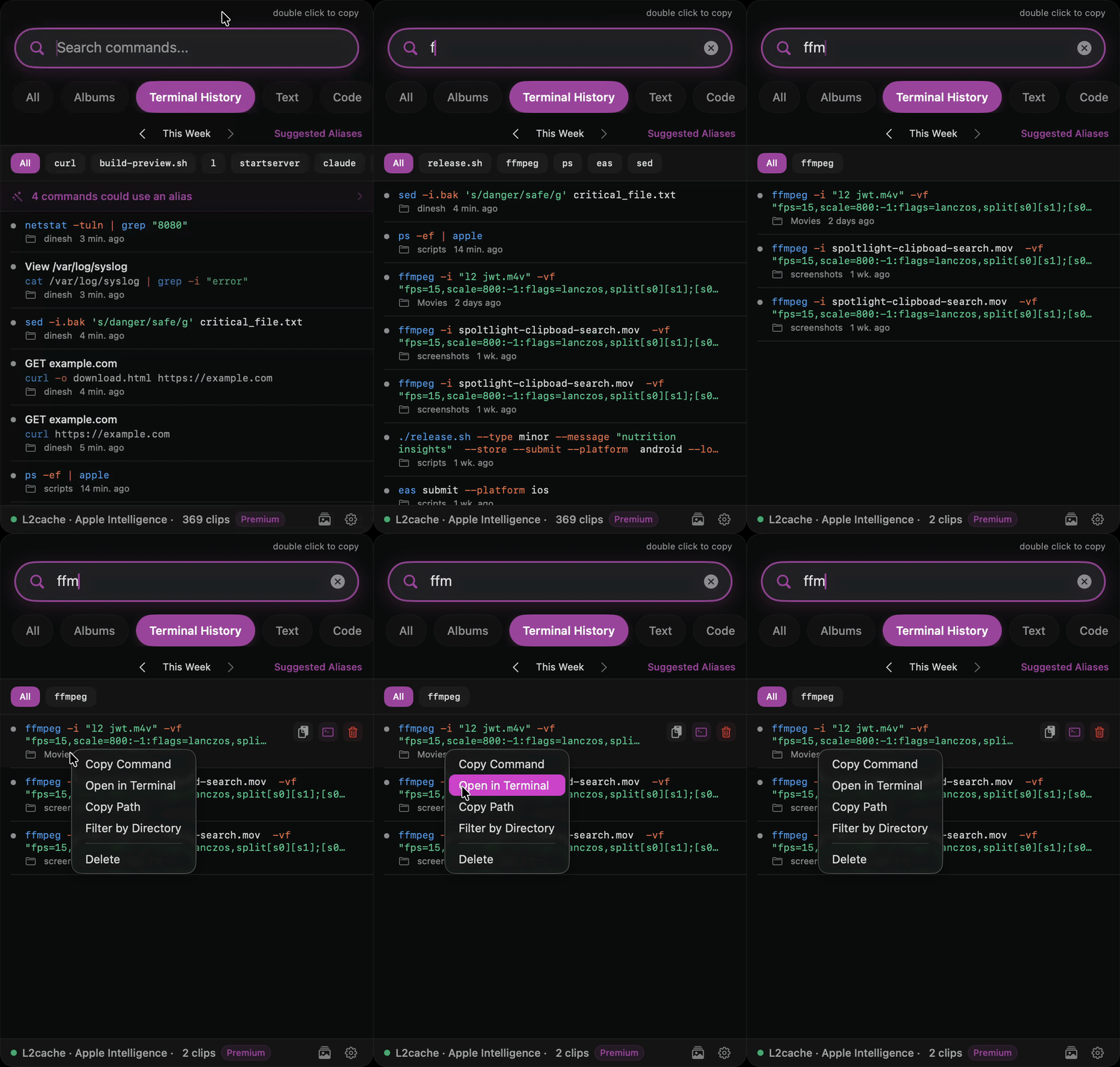
Terminal History

L2Cache detects terminal output and automatically extracts the root command (like docker, git, or npm) to tag your clips, making it easy to filter, find, and replay your past commands.

Terminal Command History

AI Data Generation

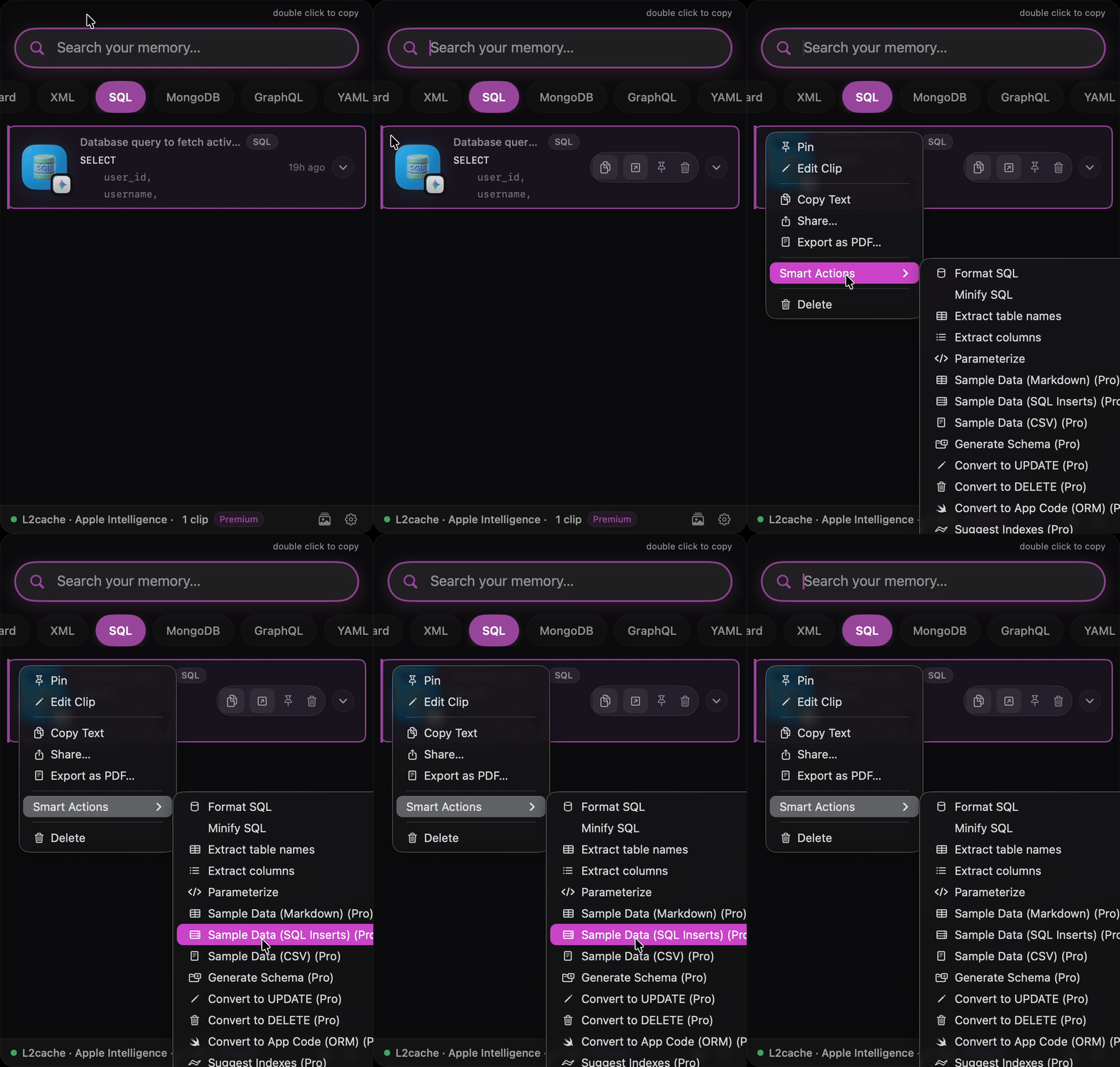
Select a SQL schema or Swift struct and run an AI prompt directly inside the clipboard to generate mock data instantly.

AI SQL Data Generation

Programmable Clipboard

View Recipes →

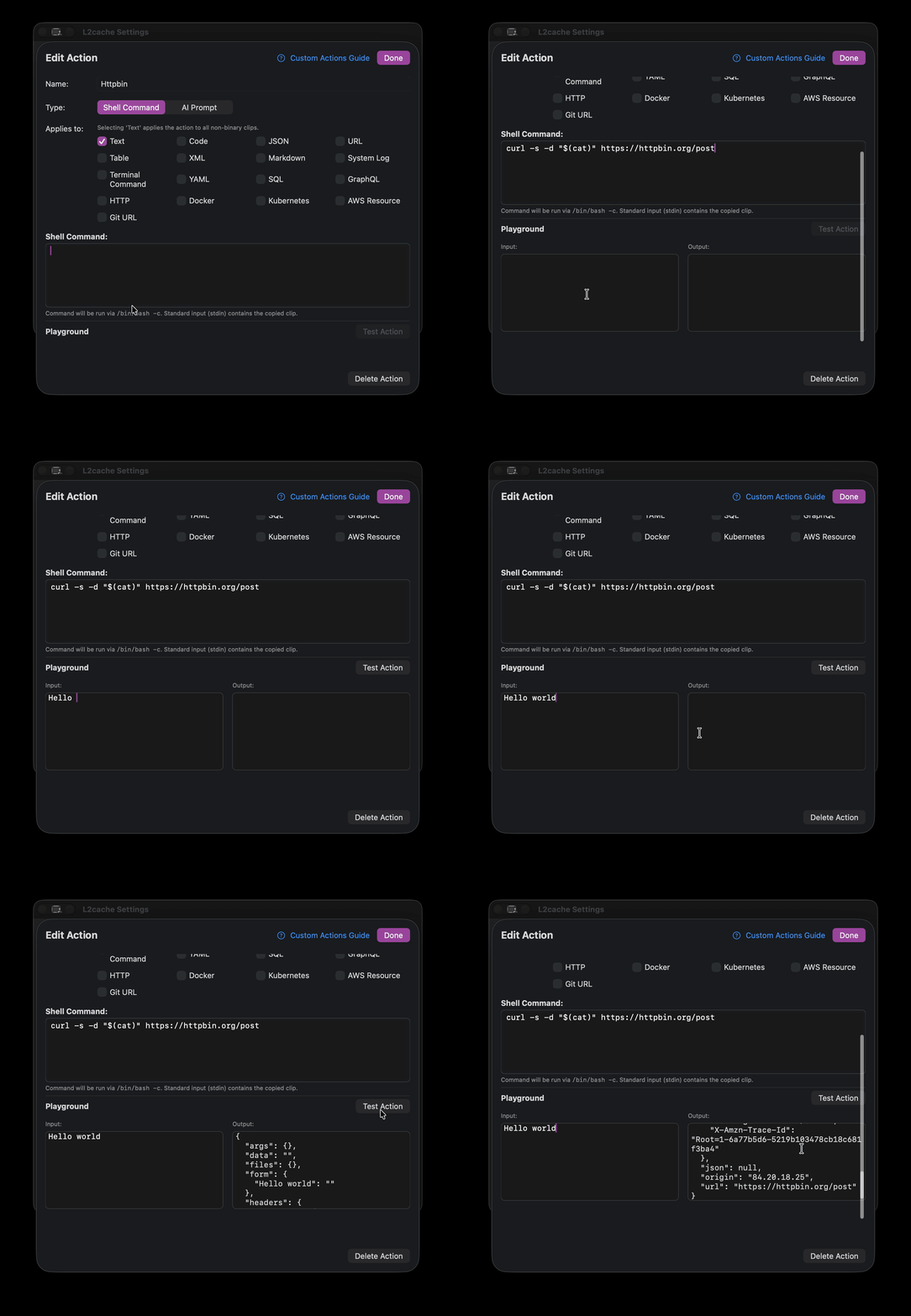
L2Cache lets you create custom actions in Bash or Ruby. Target actions dynamically based on content types like SQL, Docker, YAML, or GraphQL. Format, fetch, or filter copied text entirely on-device.

L2Cache Custom Actions Shell Script Editor

From Raw Data to Usable Code

Ordinary clipboards merely store raw data like unprocessed ore. L2Cache works as a miner, instantly refining that material into polished, ready‑to‑use gold.

Standard Clipboards
eyJhbGciOiJIUzI1NiIsInR5cCI6IkpXVCJ9.eyJzdWIiOiIxMjM0NTY3ODkwIiwibmFtZSI6IkpvaG4gRG9lIiwiaWF0IjoxNTE2MjM5MDIyfQ.SflKxwRJSMeKKF2QT4fwpMeJf36POk6yJV_adQssw5c
L2Cache
{ "header" : { "alg" : "HS256", "typ" : "JWT" }, "payload" : { "iat" : 1516239022, "name" : "John Doe", "sub" : "1234567890" }, "signature" : "SflKxwRJSMeKKF2QT4fwpMeJf36POk6yJV_adQssw5c", "verified" : false }

The clipboard
you always wanted

Every copy saved, understood, and ready when you need it.

🧠
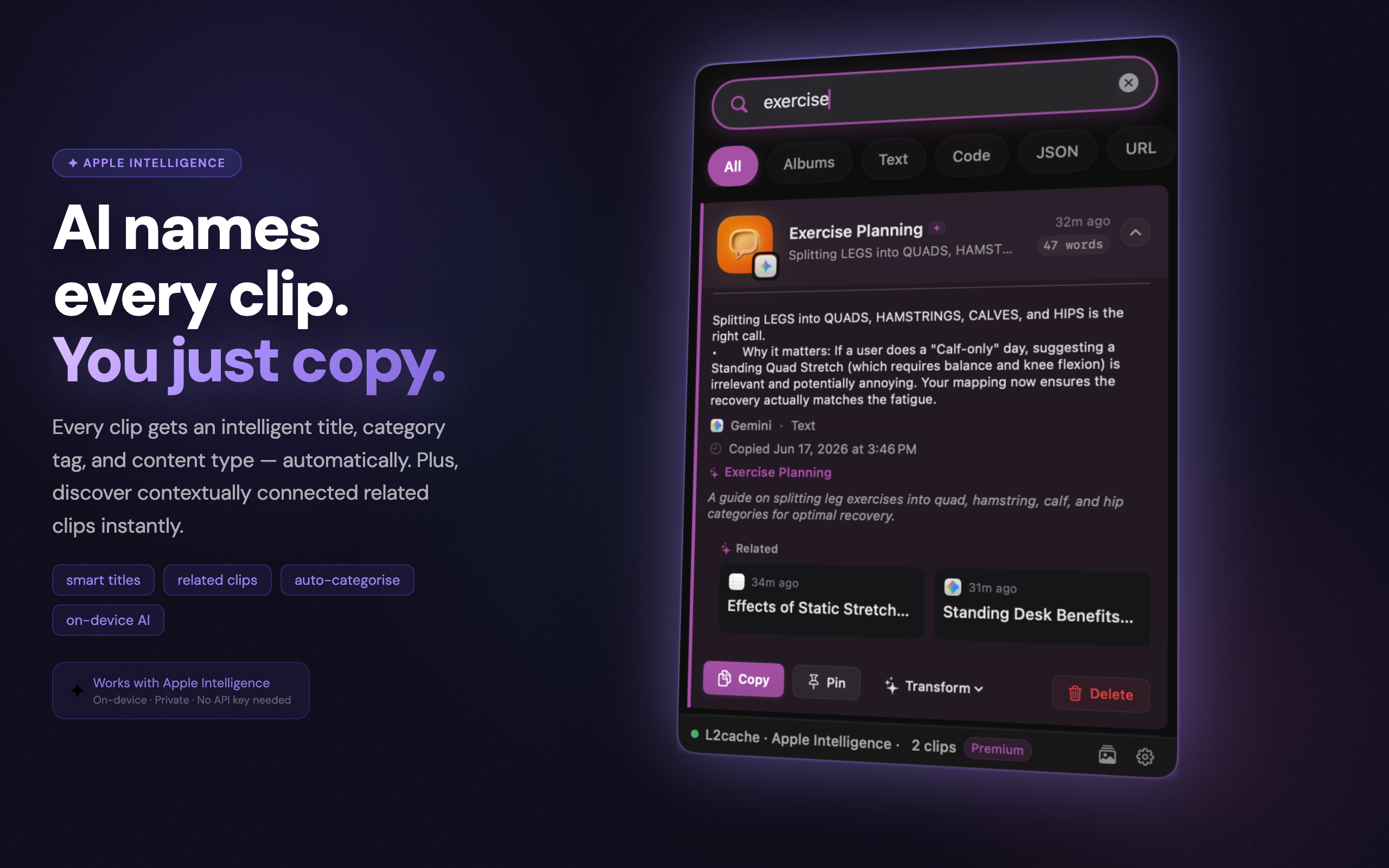
AI-generated titles
Code clips show what the code does, not what language it's in. "Authenticate user and store session in Keychain" — not "Swift function".Requires macOS 15.1+ and Apple Silicon. Falls back to plain-text titles on other Macs.
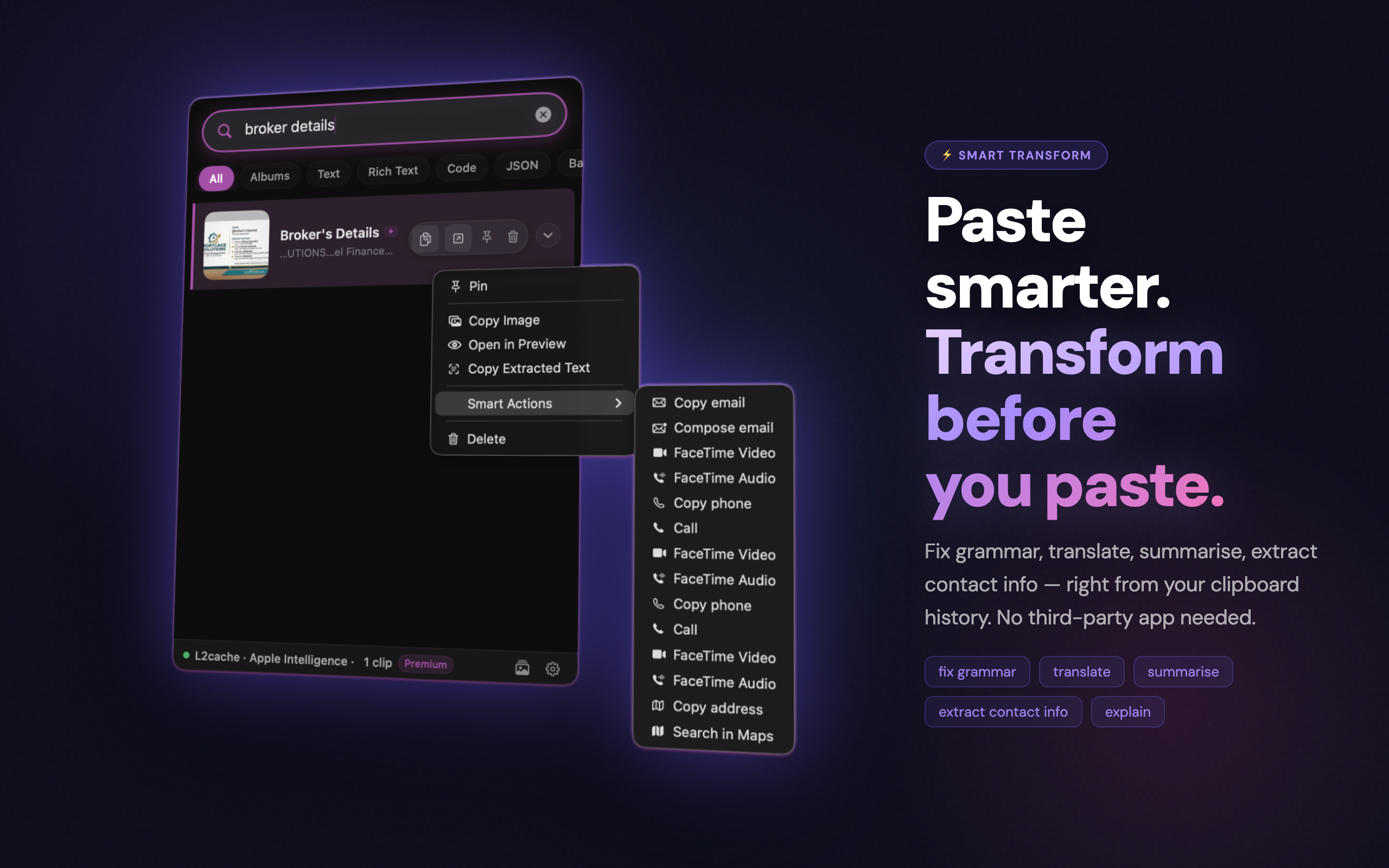
Smart Transform
Copy smarter. Transform your clipboard as you copy — strip markdown fences, fix grammar, convert code, clean URLs, format JSON.AI-powered transforms require macOS 15.1+ and Apple Silicon. Local instant transforms work on any supported Mac.
🍎
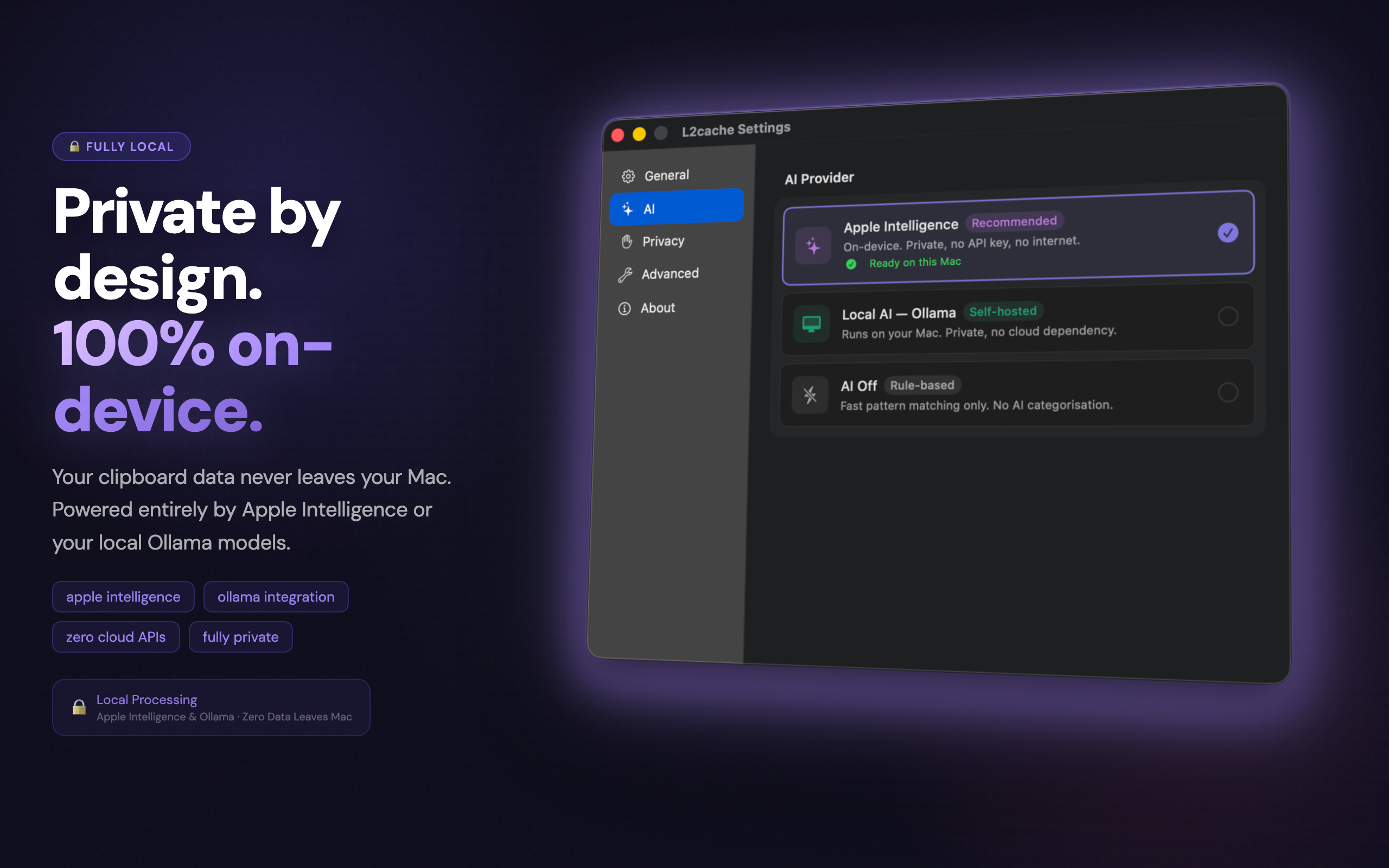
Apple Intelligence
Runs on-device using Apple's foundation model. Private by default — your clipboard never leaves your Mac.Apple Intelligence requires macOS 15.1+ and Apple Silicon. Core clipboard features work on macOS 13+ regardless.
📝
Screenshot OCR
Instantly extract and copy text from any screenshot or image using on-device optical character recognition.
🛠
SQL Mock Data Gen
Copy a SQL schema and let Apple Intelligence instantly generate mock CSV or JSON test data directly on your clipboard.
🔍
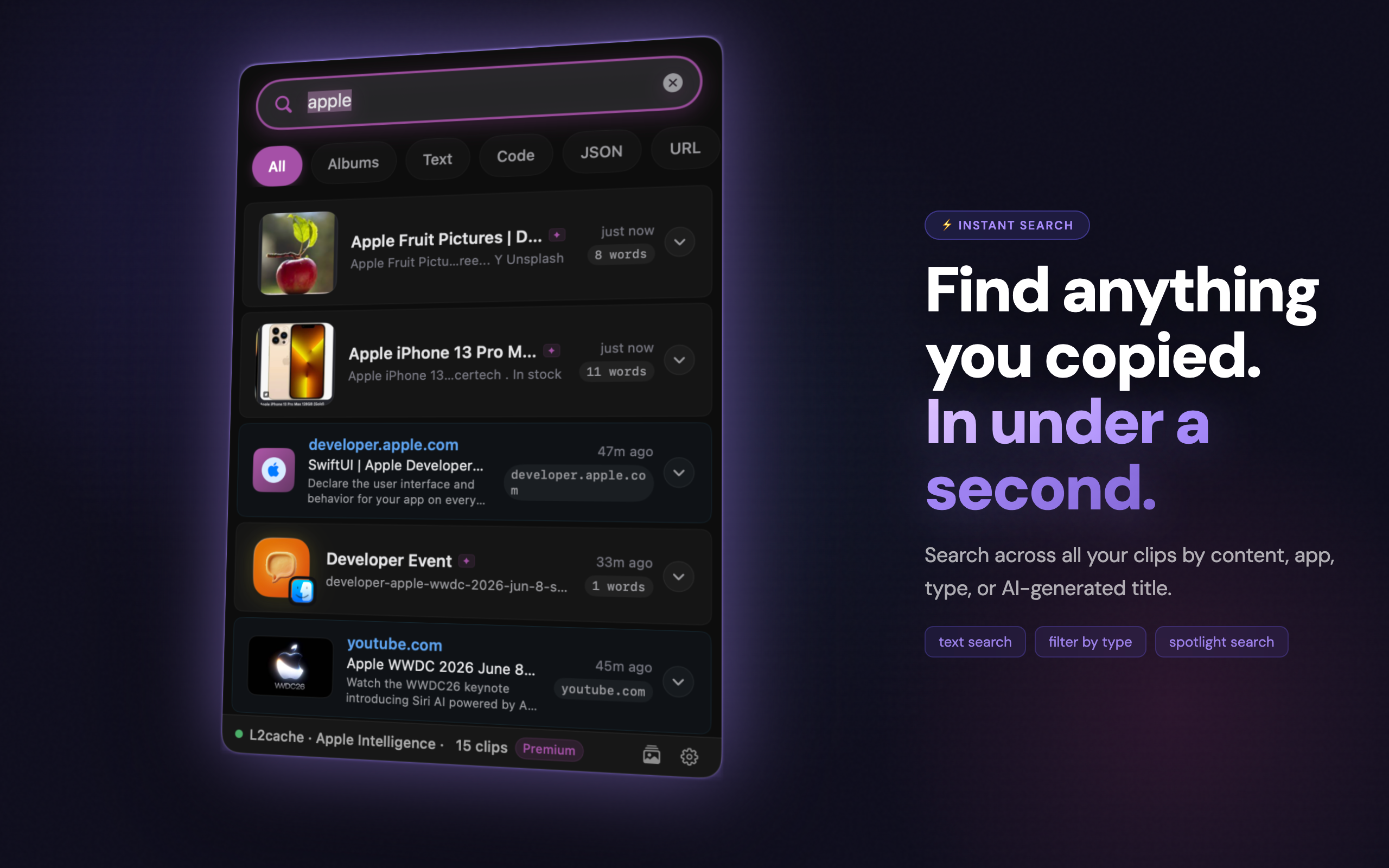
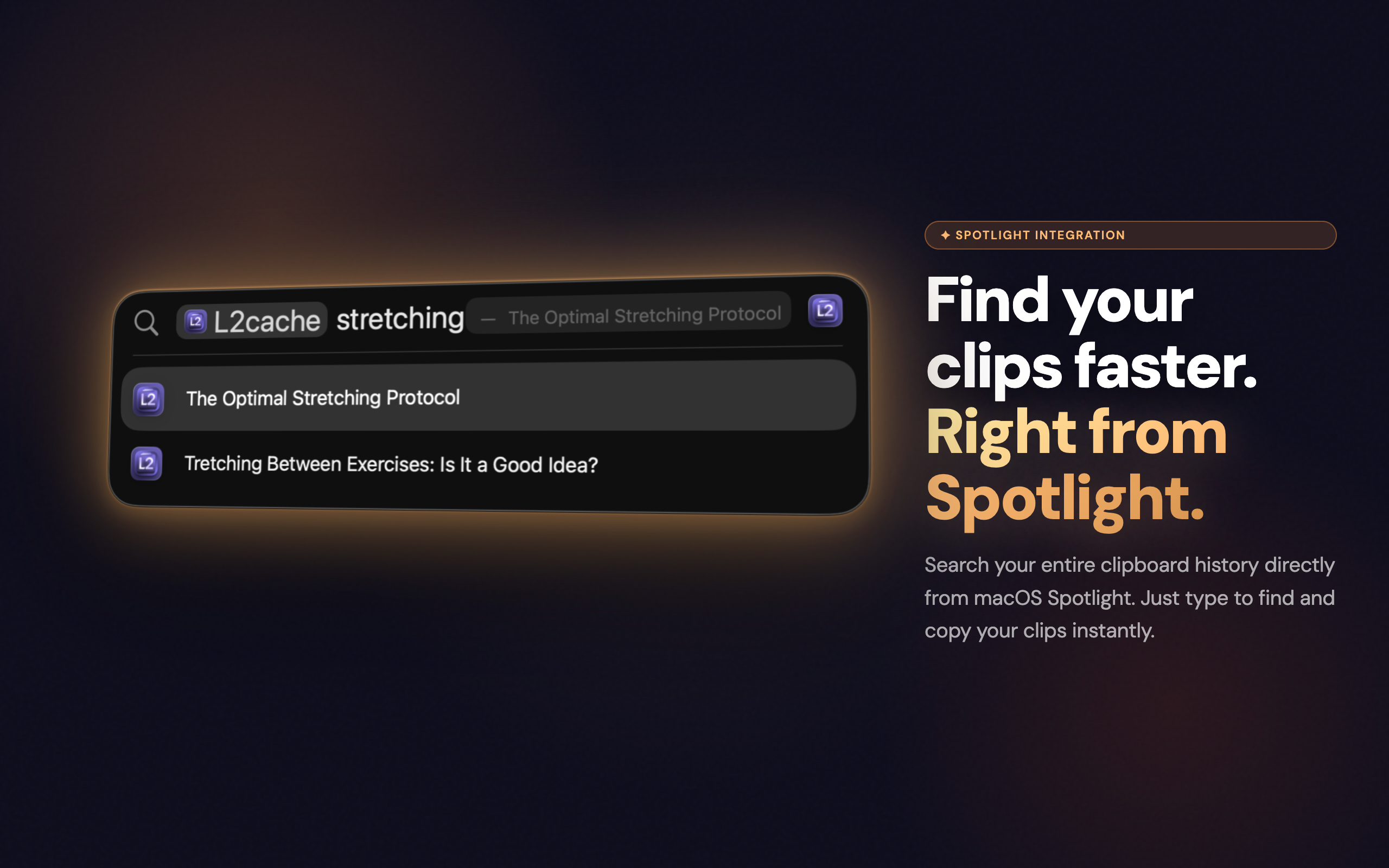
Search everything
Full-text search across all clips. Screenshots are searchable by their text content via OCR. Find anything in under 100ms.
🛡
Sensitive radar
API keys, credit card numbers, private keys, SSNs, and WiFi credentials are automatically detected and stored as hidden. Content stays locked — unlock with Touch ID or your password to copy it.
🔍
Regex pattern matching
Type standard Regular Expressions to filter your massive clipboard history natively. Instantly find AWS keys, IP addresses, or UUIDs using terminal grep-like syntax.
🗂
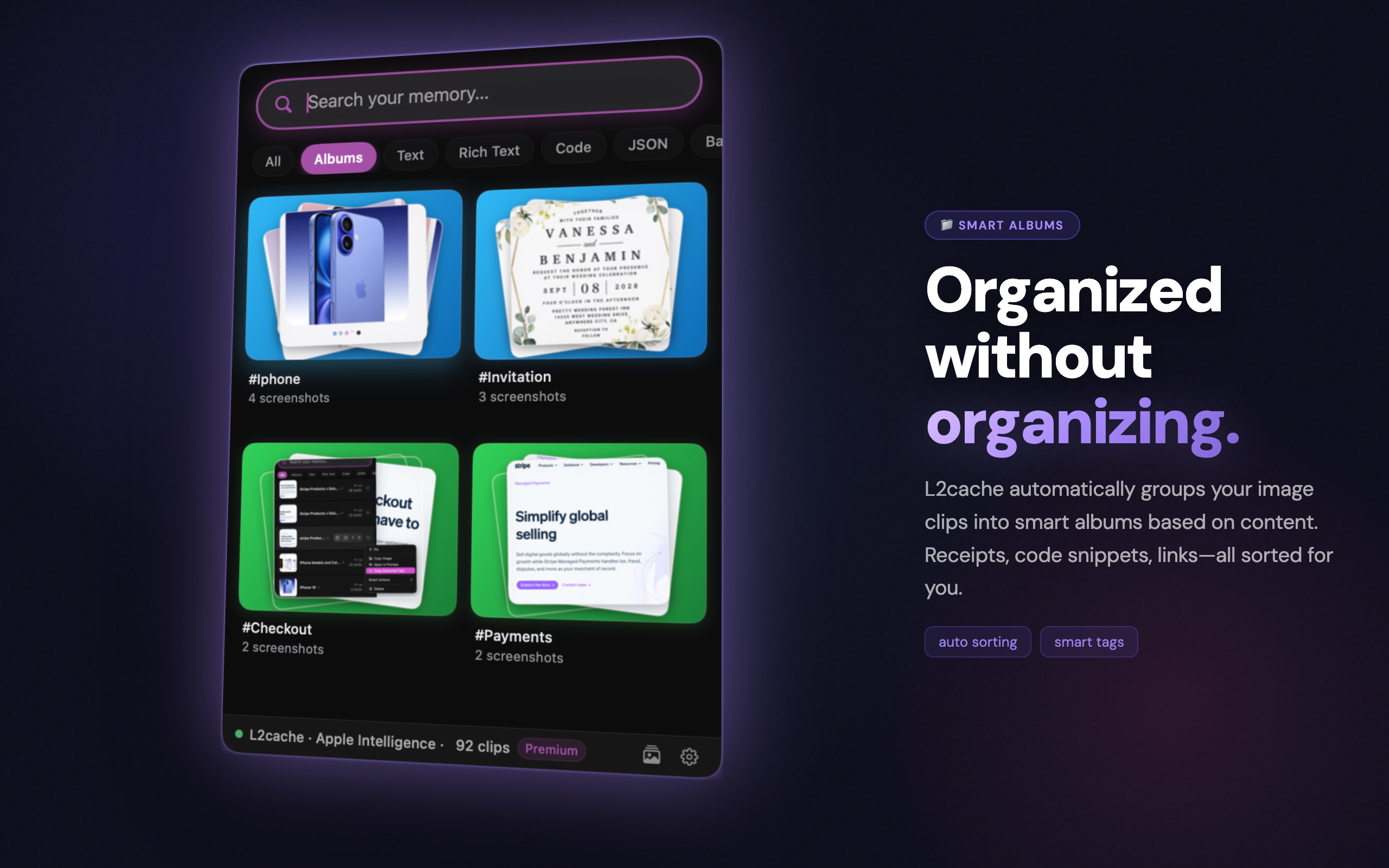
Smart albums
Clips are automatically grouped into albums by type and context — code, URLs, images, and more. Browse by album to find related clips instantly.
📱
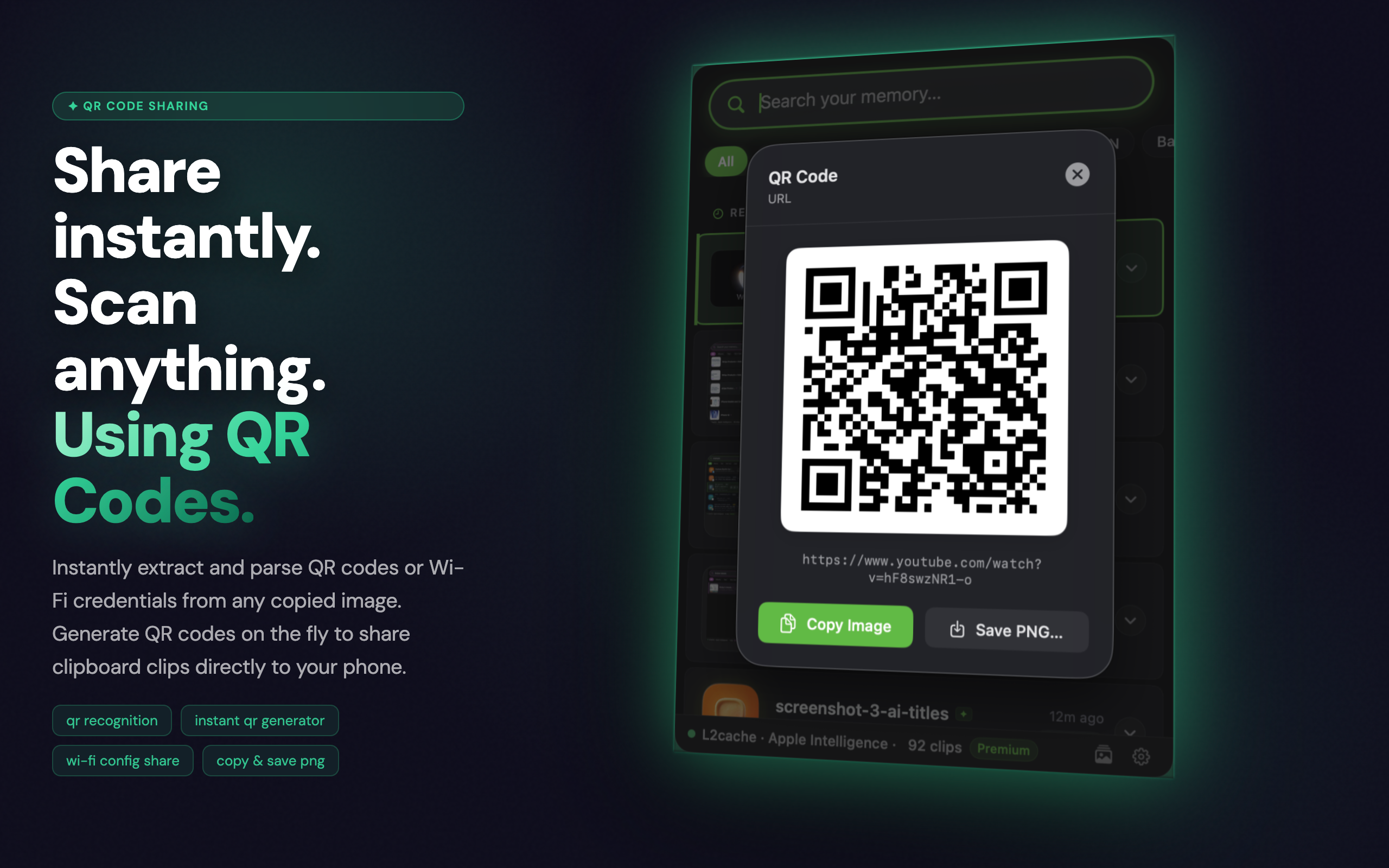
QR code generation
Copy any URL, text, or contact detail and generate a QR code in one click. Share instantly without any extra app.
🖼
Screenshot renaming
Screenshots are automatically renamed using AI — no more "Screenshot 2025-06-18 at 10.34.02". Find your screenshots by what's actually in them.
Wall of Love

Developers love L2Cache

Don't just take our word for it. Here is what engineers are saying.

★★★★★

"This is hands down the best clipboard manager for engineers. The ability to pipe my clipboard directly into a Ruby script without leaving my IDE is mind-blowing. It replaced Maccy for me."

S

Sarah J.

Senior Backend Engineer

★★★★★

"The Smart Actions are a game changer. Being able to extract a JWT payload or pretty-print JSON with a single shortcut saves me so much context switching every day."

M

Michael T.

Fullstack Developer

★★★★★

"Finally, a native macOS app that respects developers. It's incredibly fast, the SQLite search is instant, and the UI is absolutely gorgeous. Worth every penny."

D

David R.

iOS Engineer

Simple, honest pricing

No subscription. No upsell. Free while in early access — and everyone who joins now keeps it free for good.

Free
while in early access · join now, keep it free for good · all future updates included
Download L2Cache

macOS 13 Ventura or later · Free while in early access — yours to keep for good