Why Your Mac Área de Transferência Needs 'grep': A Built-in Regex Matcher
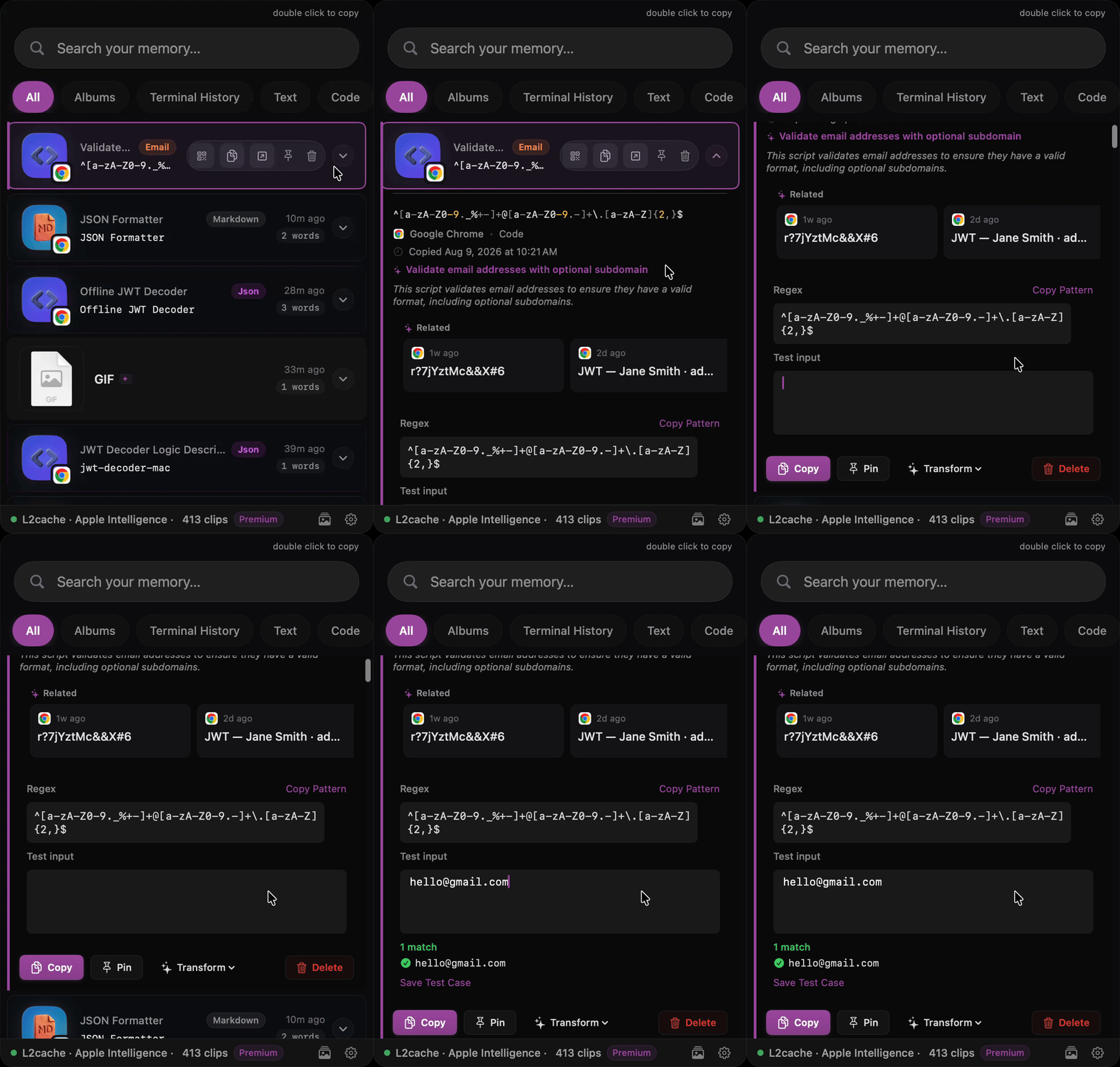
If you spend enough time in the terminal, you know that grep is a superpower. Need to find an error in a 10,000-line log? grep. Need to isolate a specific IP address? grep.
But what happens when that data leaves the terminal?
As developers, we copy dozens of highly specific strings every hour: UUIDs from a database, bearer tokens from an API response, AWS ARNs, and hex color codes. The native macOS clipboard holds exactly one item. If you copy a UUID and then accidentally copy a Slack message right after, that UUID is gone.
Even if you use a standard clipboard manager (like Maccy or Paste) that saves your history, you run into a different problem: Searchability.
Standard clipboard managers use basic fuzzy text search. If you know you copied a UUID three hours ago, but you don't remember what the UUID actually was, how do you search for it?
You can't.
Bringing a Regex Matcher to the Área de Transferência
This exact frustration is why I built L2Cache, a native macOS developer clipboard. I wanted to bring the power of grep and a full regex matcher directly to my clipboard history.
Instead of typing "auth" and hoping the token shows up, you can search your clipboard history using a raw regex matcher.
Need that UUID you copied this morning? Just type /uuid or standard regex ^[0-9a-fA-F]{8}-....
Need an IP address? \b\d{1,3}\.\d{1,3}\.\d{1,3}\.\d{1,3}\b.
L2Cache uses a local SQLite database with FTS5 (Full-Texto Search), meaning querying a history of 10,000 clips with complex Regex takes milliseconds.
Built-in Smart Patterns
Because nobody actually wants to memorize the Regex for an IPv6 address or a JWT token, L2Cache comes with built-in "Smart Patterns."
By typing / in the search bar, you instantly get a dropdown of common developer patterns:
/email/url/hex(Color codes)/jwt/ip
It transforms your clipboard from a dumb storage bin into a highly queryable, grep-like database of your daily workflow.
Stop losing your API keys in the abyss of your clipboard history.
A completely native clipboard manager built specifically for developers.
Baixar Gratuito Early Access