Stop Pasting Logs Online: How to Extract Regex from Mac Área de Transferência
Using online tools like regex101.com to parse clipboard logs is a massive security risk. Here are four ways to extract UUIDs, Emails, and API Keys locally on macOS.
As a developer, you often copy huge chunks of log files or JSON payloads just to extract a few specific items—like a list of UUIDs, email addresses, or IP addresses. The natural instinct is to paste the massive log into an online Regex tester to quickly parse out what you need.
But doing this with production logs is a critical security risk. You are unknowingly exposing internal system architecture, PII (Personally Identifiable Information), or even access tokens to third-party servers.
Instead of risking a data leak, here are three foolproof ways to extract regex matches from your macOS clipboard entirely locally, directly from the terminal.
Secure Offline Alternatives for Regex Extraction
The Best of Both Worlds: L2Cache Smart Actions
Writing and remembering shell scripts for every log file is tedious. What if your clipboard manager had grep built-in?
L2Cache is a native macOS clipboard manager that completely reimagines pattern matching. Instead of dropping into a terminal, L2Cache automatically parses your clipboard on the fly using native Swift Regex.
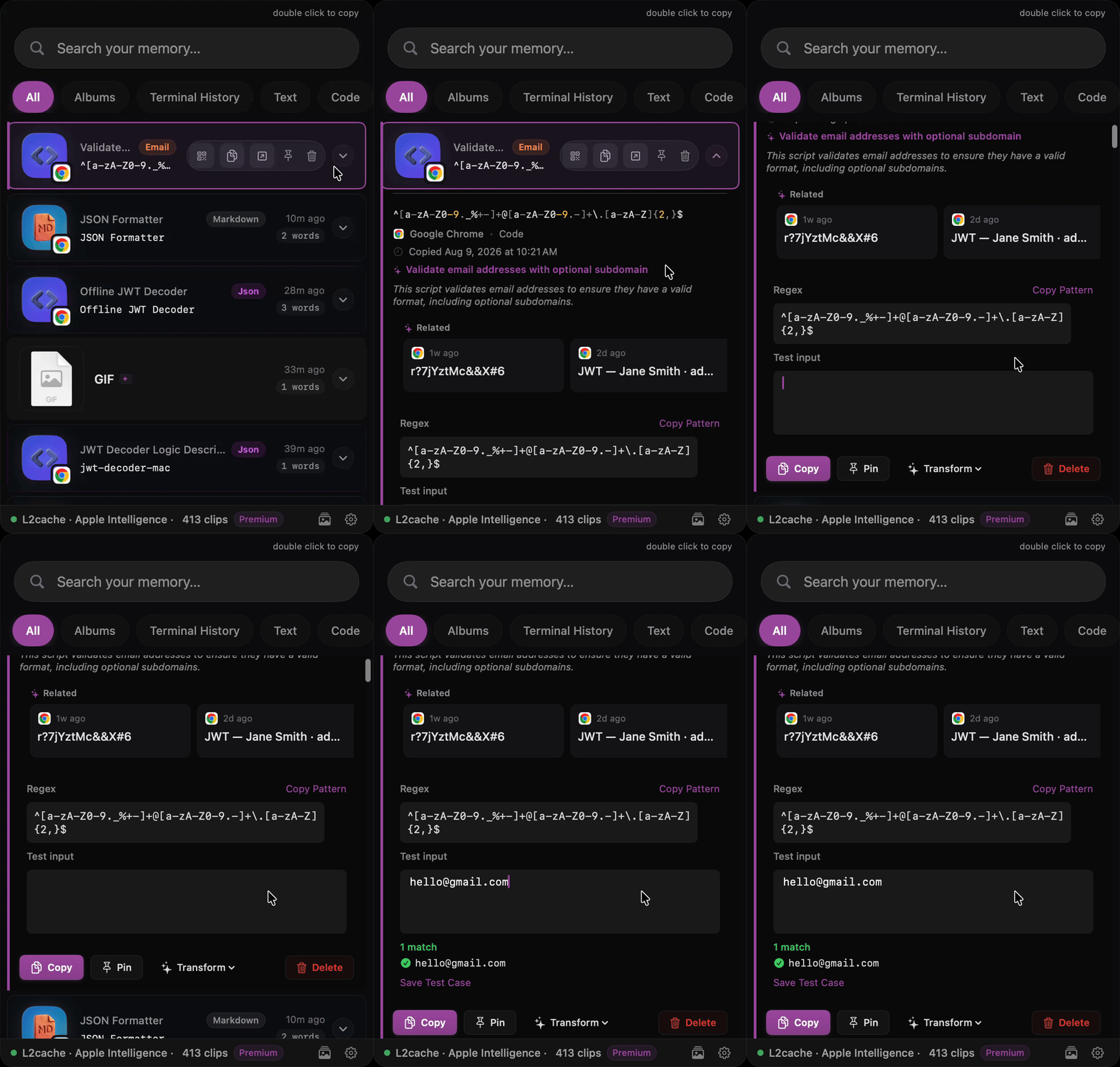
With Smart Actions, L2Cache instantly recognizes structured data—like IPs, UUIDs, or URLs—within massive logs and presents them as clickable buttons. You don't have to write a single script. Need to extract a custom API token? Just type a regex pattern directly into L2Cache's search bar, and it filters your local SQLite history in milliseconds.
Most importantly: Everything happens 100% offline. L2Cache never sends your clipboard data to the cloud, ensuring your production logs remain completely secure on your Mac.
Stop Pasting Logs Online. Extract Regex Locally.
Baixar L2Cache today and get powerful, offline Regex extraction right from your menu bar.
Baixar L2Cache on the App Store