0バイト
サーバーに送信される
クリップコンテンツ
100ミリ秒
パネルが開きます、
毎回
無制限
Mac上の
クリップボード履歴
無料
in early access
yours to keep

The Smart クリップボード
for Developers

Don't just store code. Format JSON, decode JWTs, run OCR on stack traces, and link context—automatically.

無料 while in early access · Join now and keep it free for good · No credit card
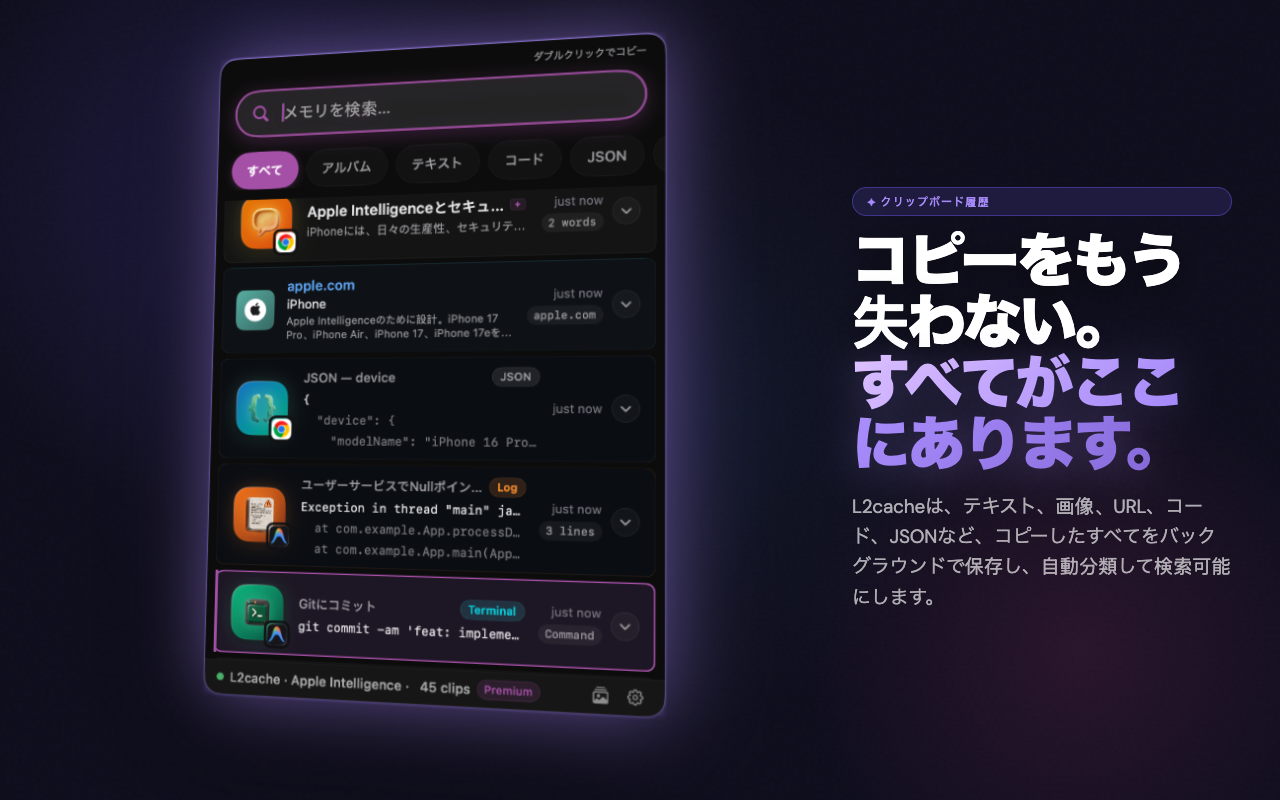
クリップボード History — L2Cache Terminal History — L2Cache Instant Search — L2Cache AI Titles — L2Cache スマートな変換 — L2Cache 開発者ツール — L2Cache Smart Albums — L2Cache Local AI — L2Cache Spotlight Search — L2Cache QR Code — L2Cache

Trusted by engineers at innovative companies

GlobalTech
CloudNative
FinScale
Medly
DataMap

Built for code.
Not just text.

L2Cache doesn't just store strings. It understands code, extracts errors, and connects context. Scroll through to see each tool in action.

Read the Developer Guide

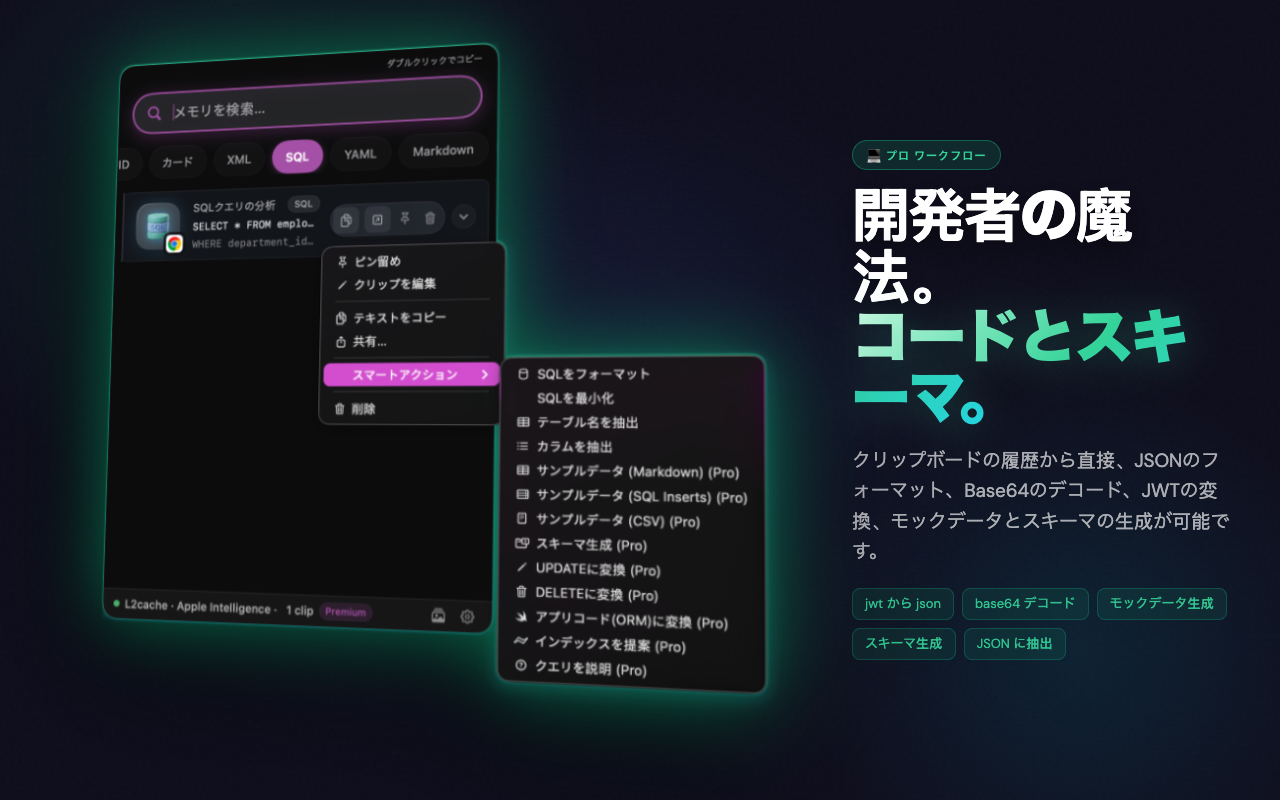
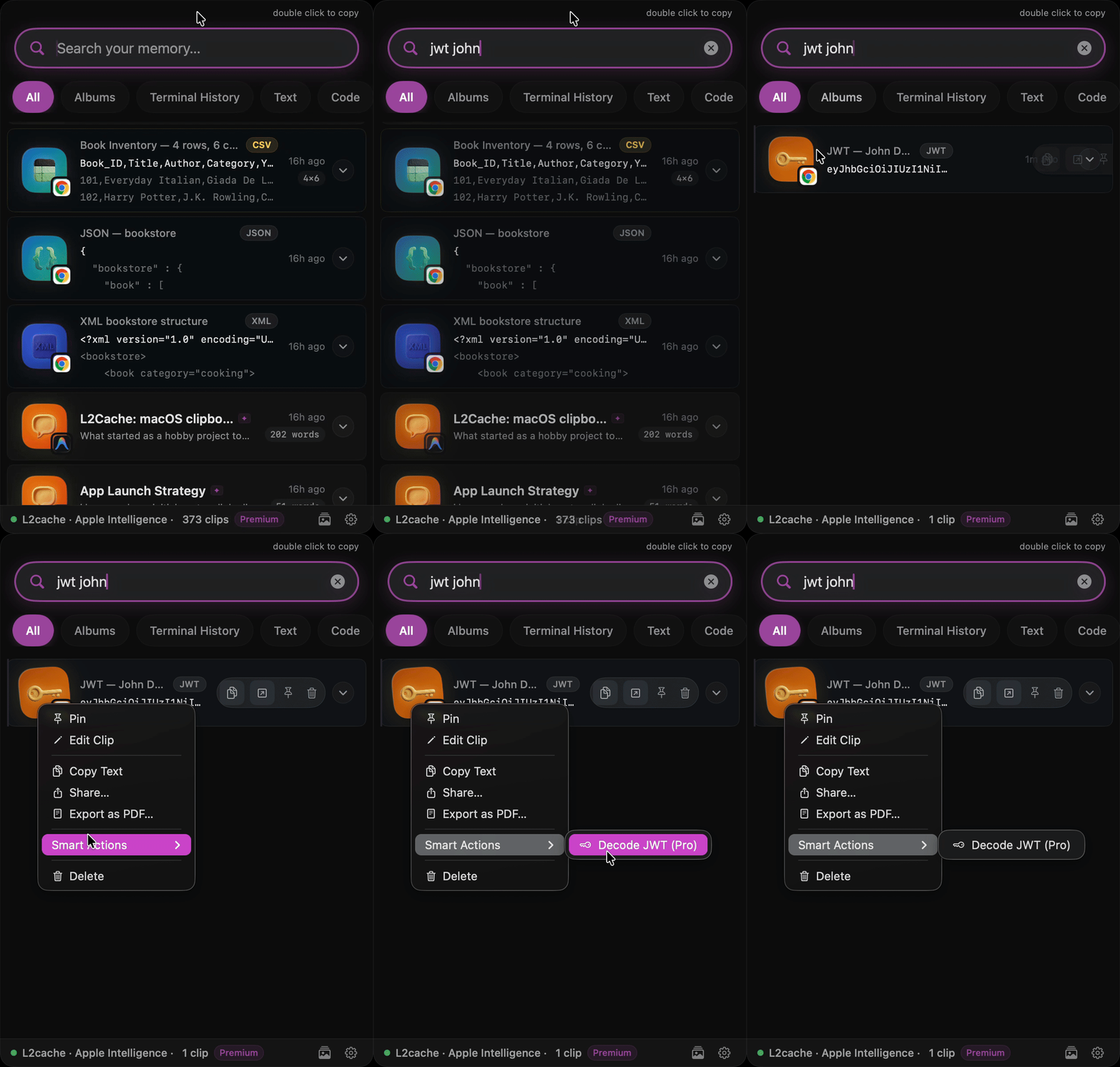
Decode JWTs & Format JSON

Click any raw JWT or minified JSON to instantly decode and format it on-device. No more pasting into random browser tabs.

Format JSON and Decode JWT

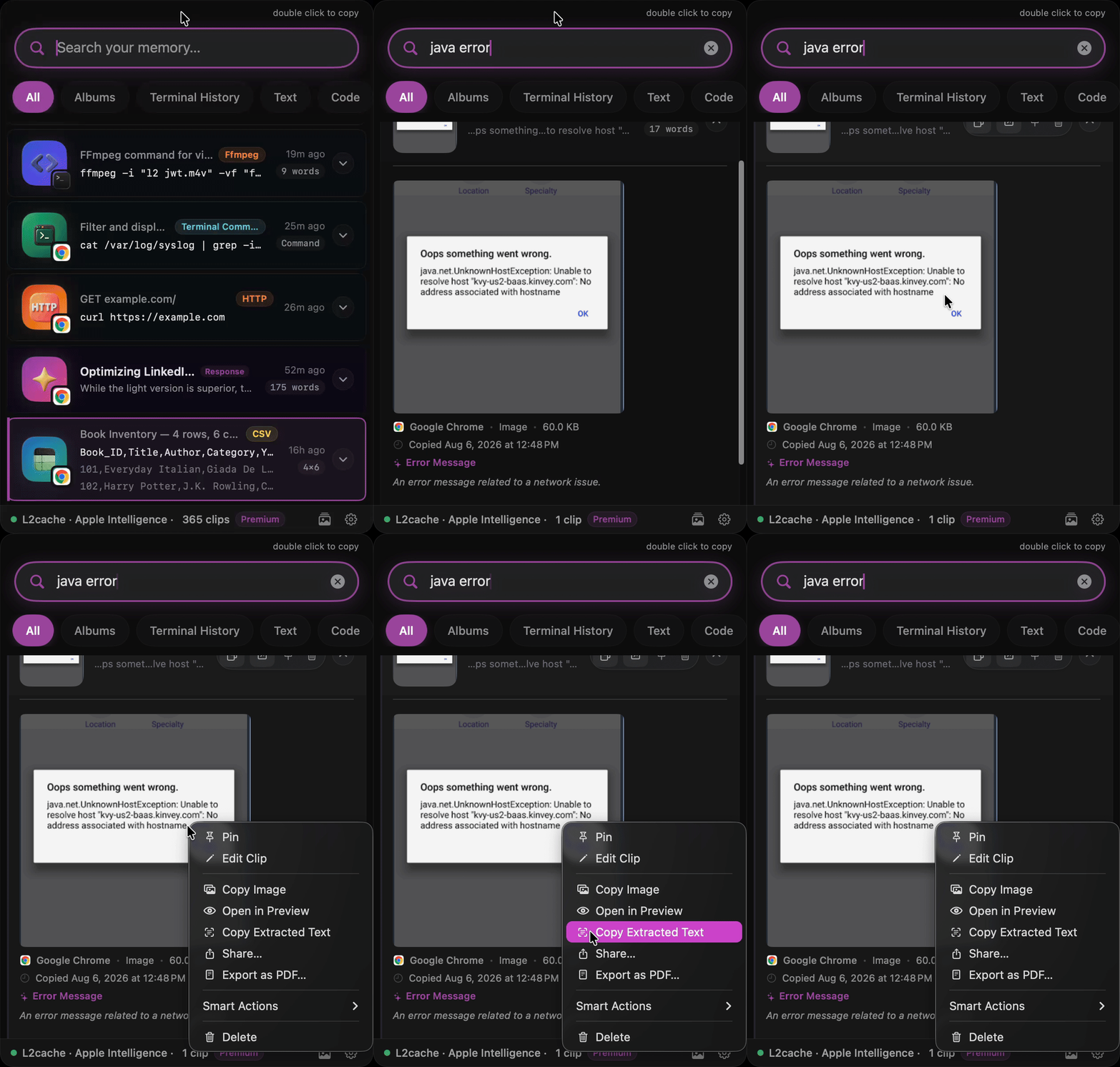
OCR for Stack Traces

Someone sent a screenshot of an error? Copy it. L2Cache extracts the text instantly using Apple's Vision framework.

Extract text from screenshot OCR

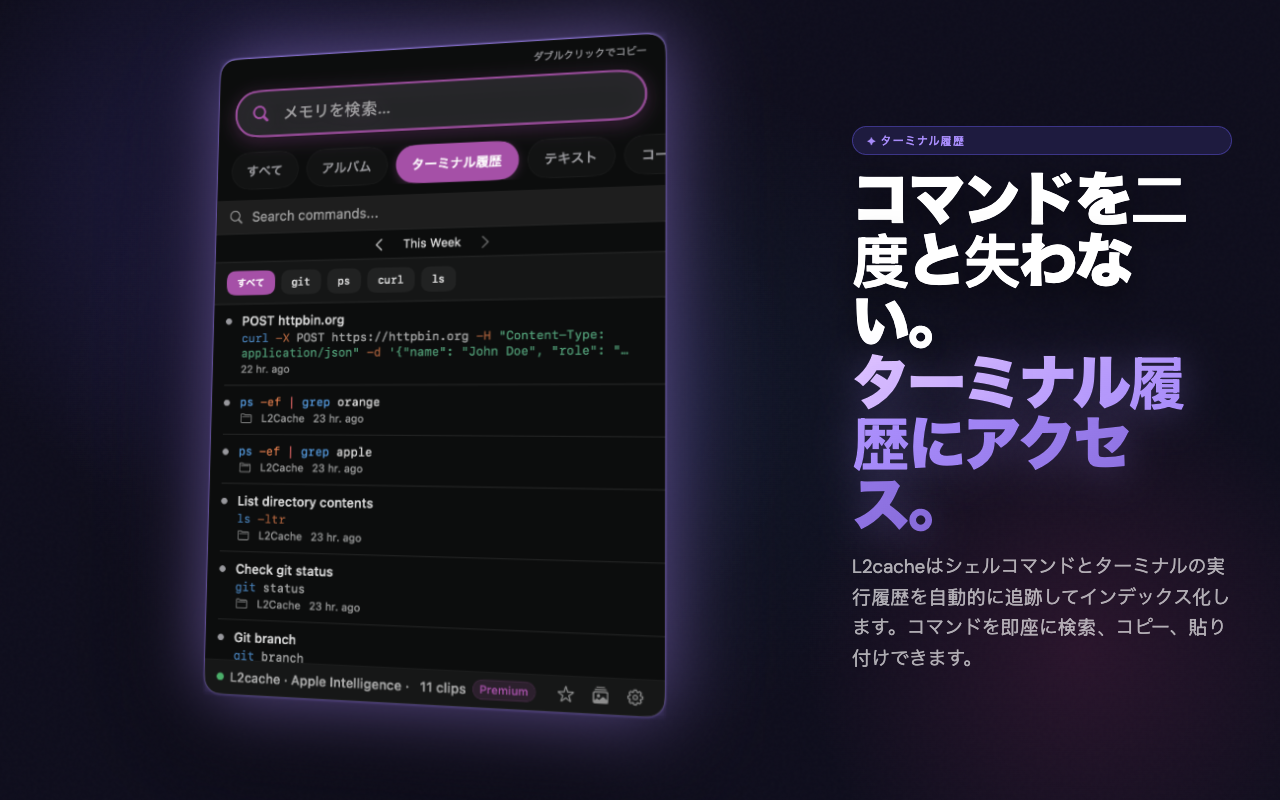
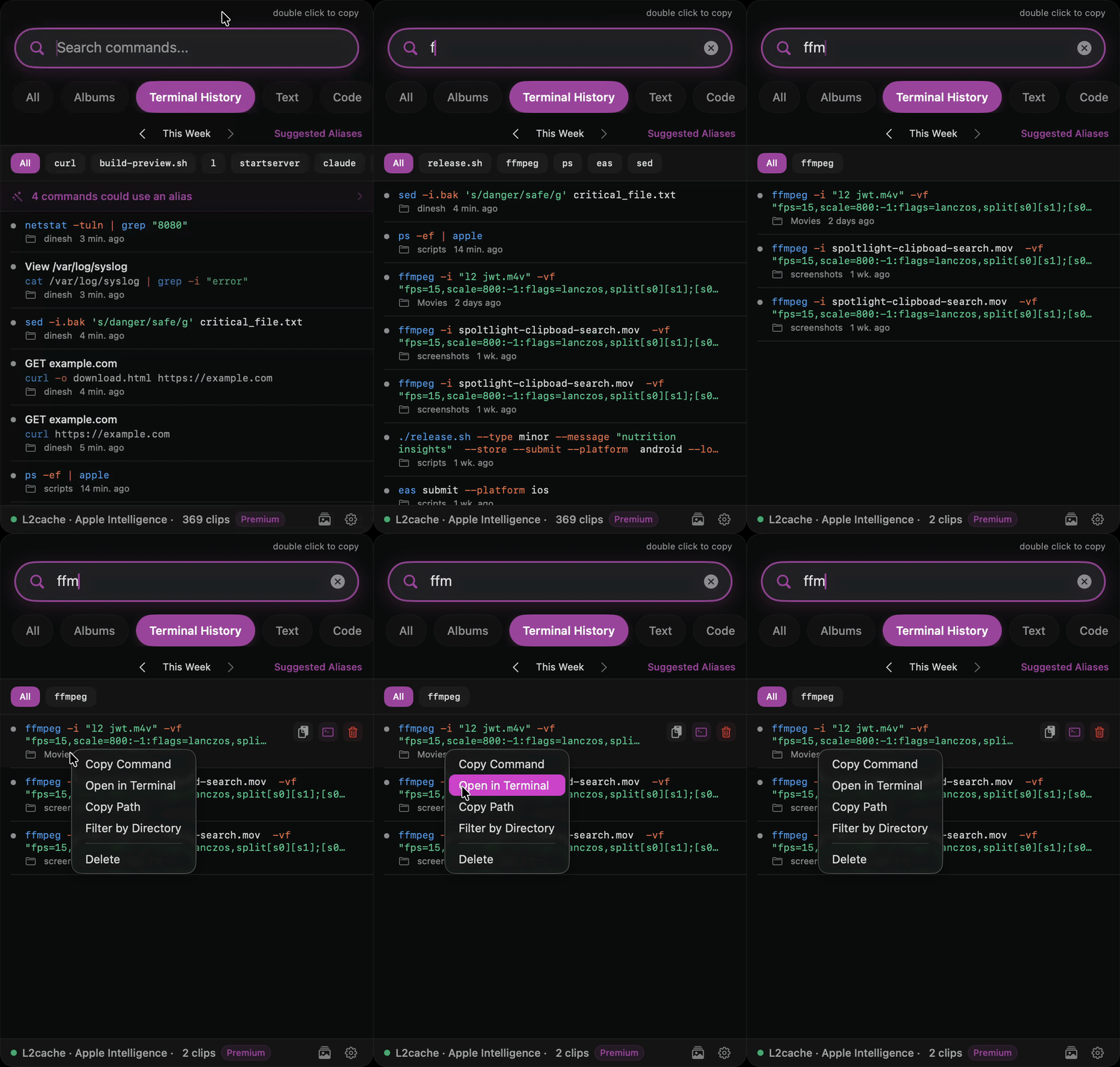
Terminal History

L2Cache detects terminal output and automatically extracts the root command (like docker, git, or npm) to tag your clips, making it easy to filter, find, and replay your past commands.

Terminal Command History

AI Data Generation

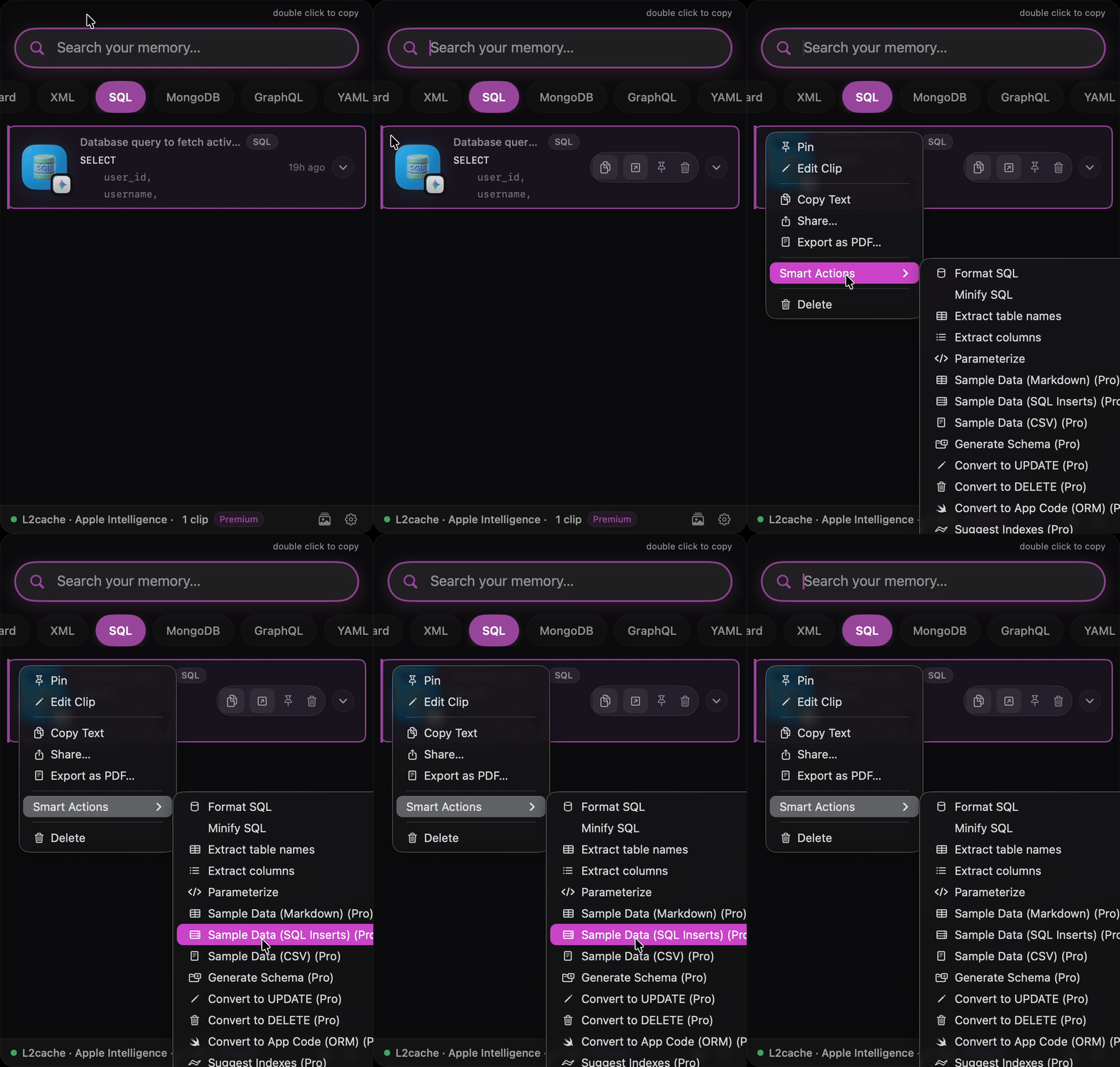
Select a SQL schema or Swift struct and run an AI prompt directly inside the clipboard to generate mock data instantly.

AI SQL Data Generation

Programmable クリップボード

View Recipes →

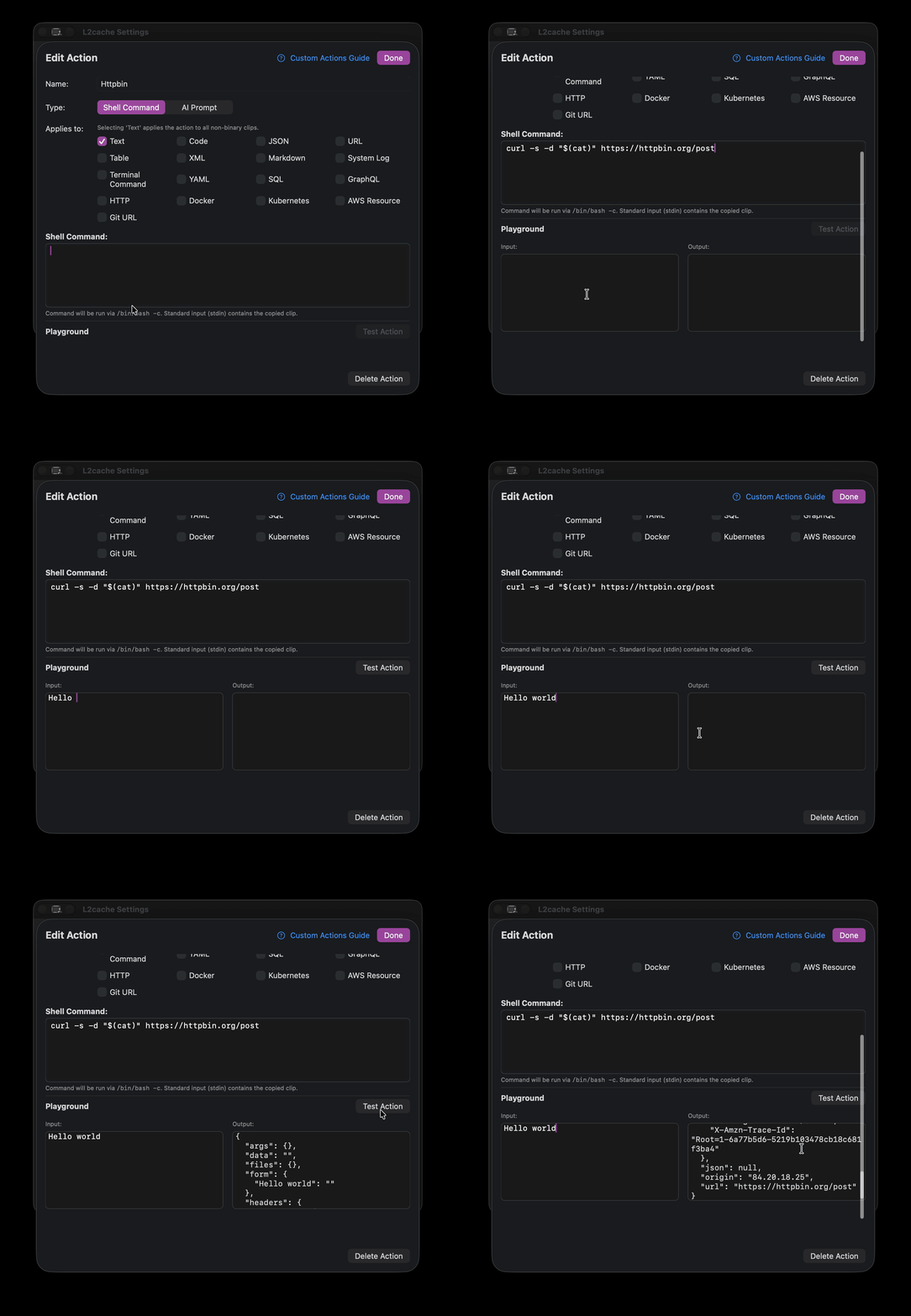
L2Cache lets you create custom actions in Bash or Ruby. Target actions dynamically based on content types like SQL, Docker, YAML, or GraphQL. Format, fetch, or filter copied text entirely on-device.

L2Cache Custom Actions Shell Script Editor

From Raw Data to Usable Code

Ordinary clipboards merely store raw data like unprocessed ore. L2Cache works as a miner, instantly refining that material into polished, ready‑to‑use gold.

Standard クリップボードs
eyJhbGciOiJIUzI1NiIsInR5cCI6IkpXVCJ9.eyJzdWIiOiIxMjM0NTY3ODkwIiwibmFtZSI6IkpvaG4gRG9lIiwiaWF0IjoxNTE2MjM5MDIyfQ.SflKxwRJSMeKKF2QT4fwpMeJf36POk6yJV_adQssw5c
L2Cache
{ "header" : { "alg" : "HS256", "typ" : "JWT" }, "payload" : { "iat" : 1516239022, "name" : "John Doe", "sub" : "1234567890" }, "signature" : "SflKxwRJSMeKKF2QT4fwpMeJf36POk6yJV_adQssw5c", "verified" : false }

あなたがずっと求めていた
クリップボード

コピーするたびに保存され、理解され、必要なときにすぐに使える。

🧠
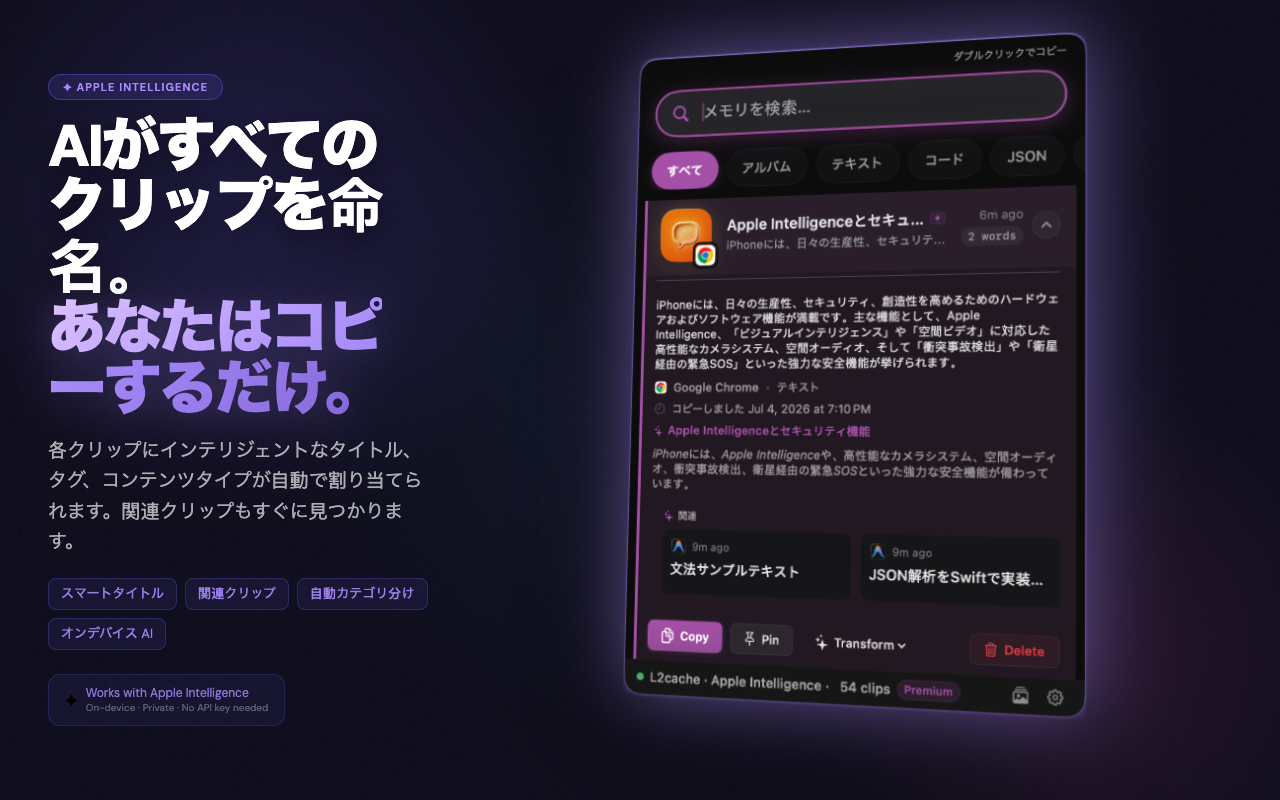
AIが生成するタイトル
コードクリップは、コードが何をするかを示し、どの言語で書かれているかを示しません。「ユーザーを認証し、Keychainにセッションを保存する」 — 「Swift関数」ではありません。macOS 15.1以降およびApple Siliconが必要です。その他のMacではプレーンテキストのタイトルにフォールバックします。
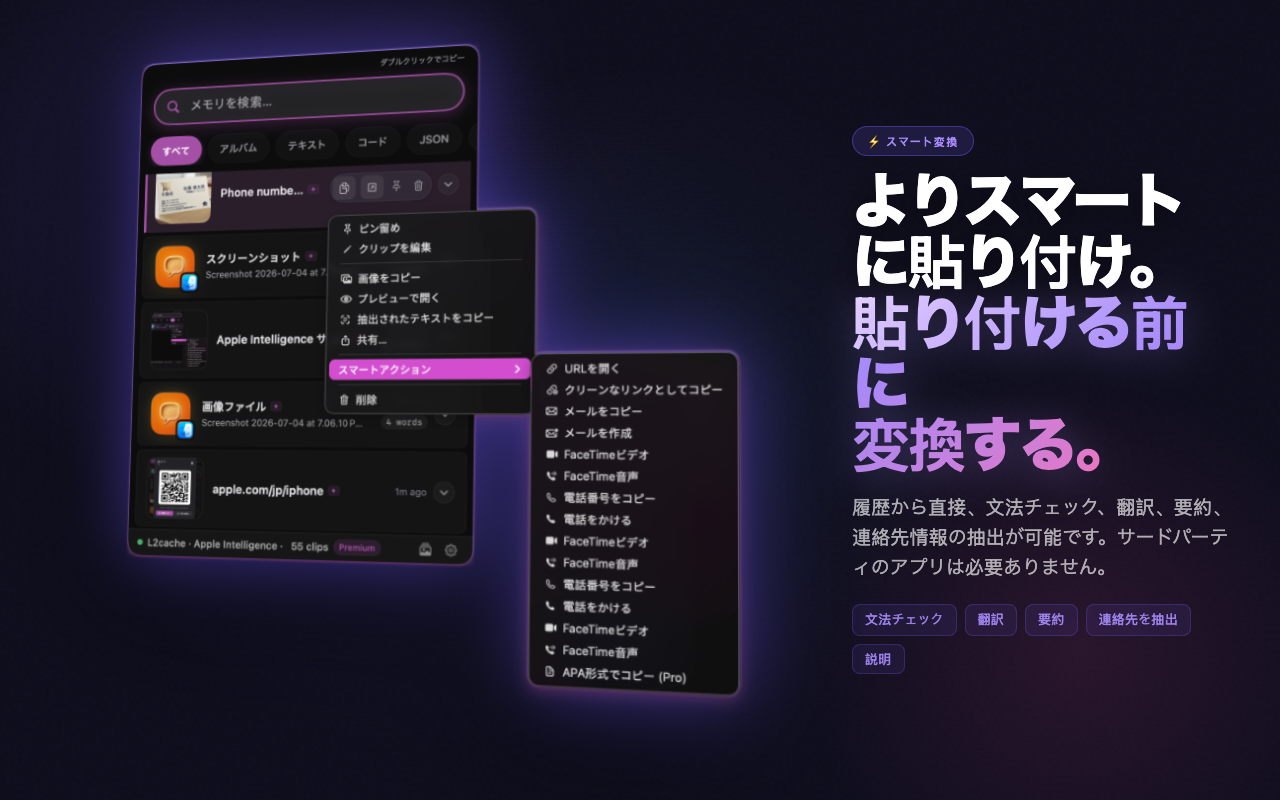
スマートな変換
よりスマートにコピー。コピー時にクリップボードを変換 — マークダウンのフェンスを削除、文法を修正、コードを変換、URLをクリーンアップ、JSONをフォーマット。AIを利用した変換には、macOS 15.1以降およびApple Siliconが必要です。ローカルの即時変換は、サポートされているすべてのMacで機能します。
🍎
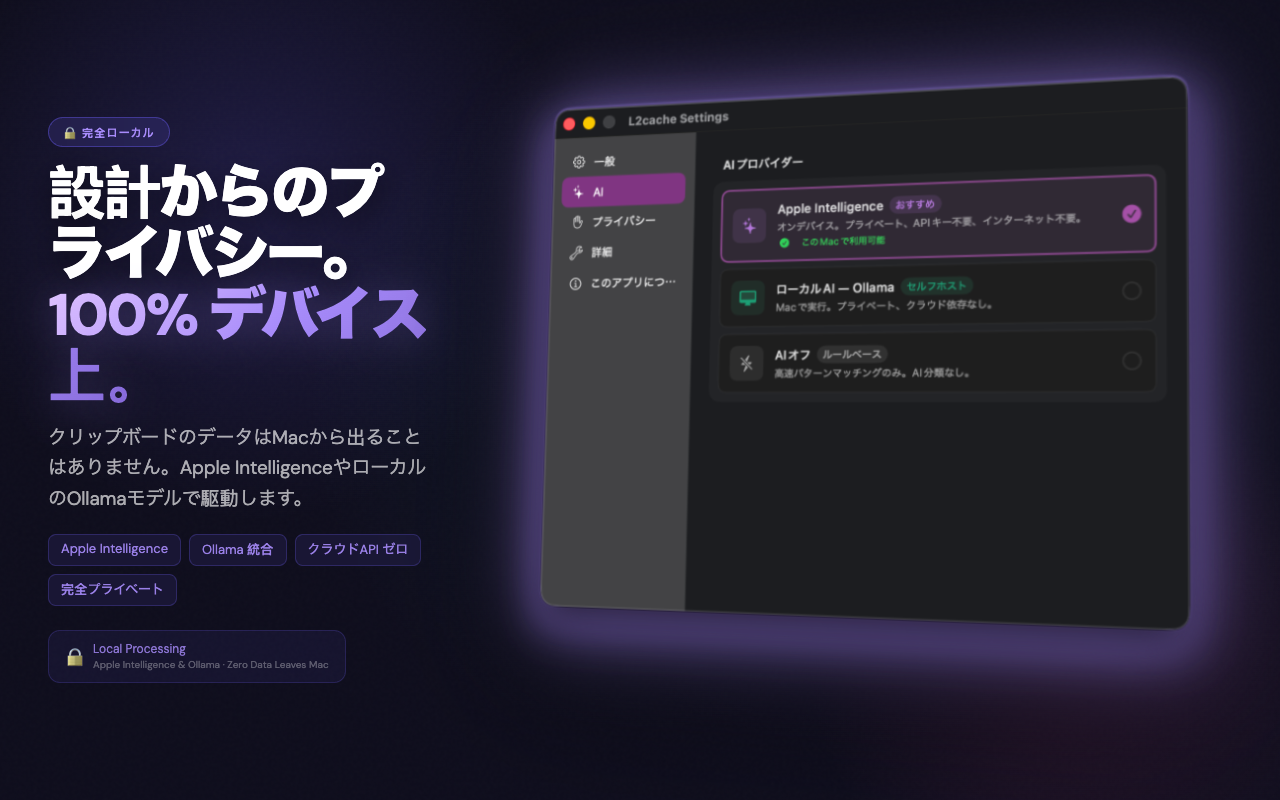
Apple インテリジェンス
Appleの基盤モデルを使用してデバイス上で実行されます。デフォルトでプライベート — クリップボードがMacを離れることはありません。Apple インテリジェンスには、macOS 15.1以降およびApple Siliconが必要です。コアのクリップボード機能は、macOS 13以降で機能します。
📝
Screenshot OCR
Instantly extract and copy text from any screenshot or image using on-device optical character recognition.
🛠
SQL Mock Data Gen
Copy a SQL schema and let Apple インテリジェンス instantly generate mock CSV or JSON test data directly on your clipboard.
🔍
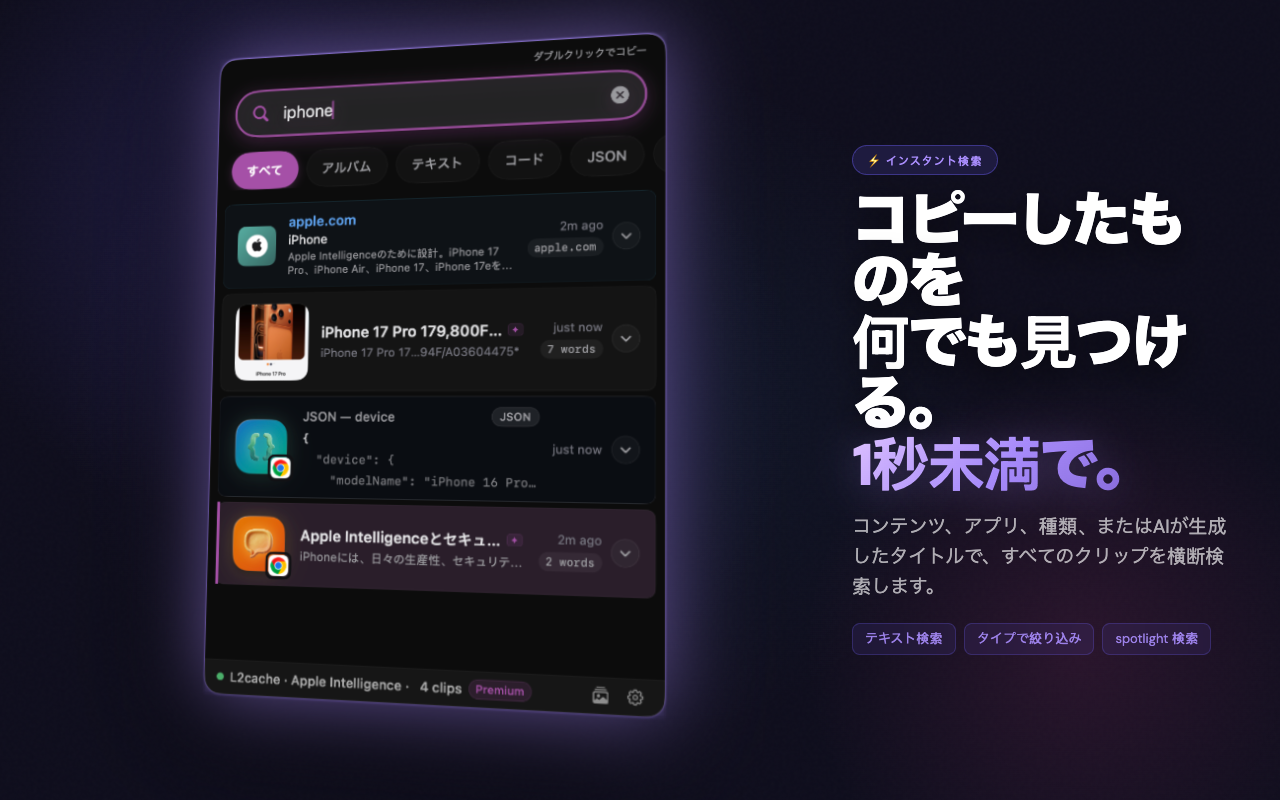
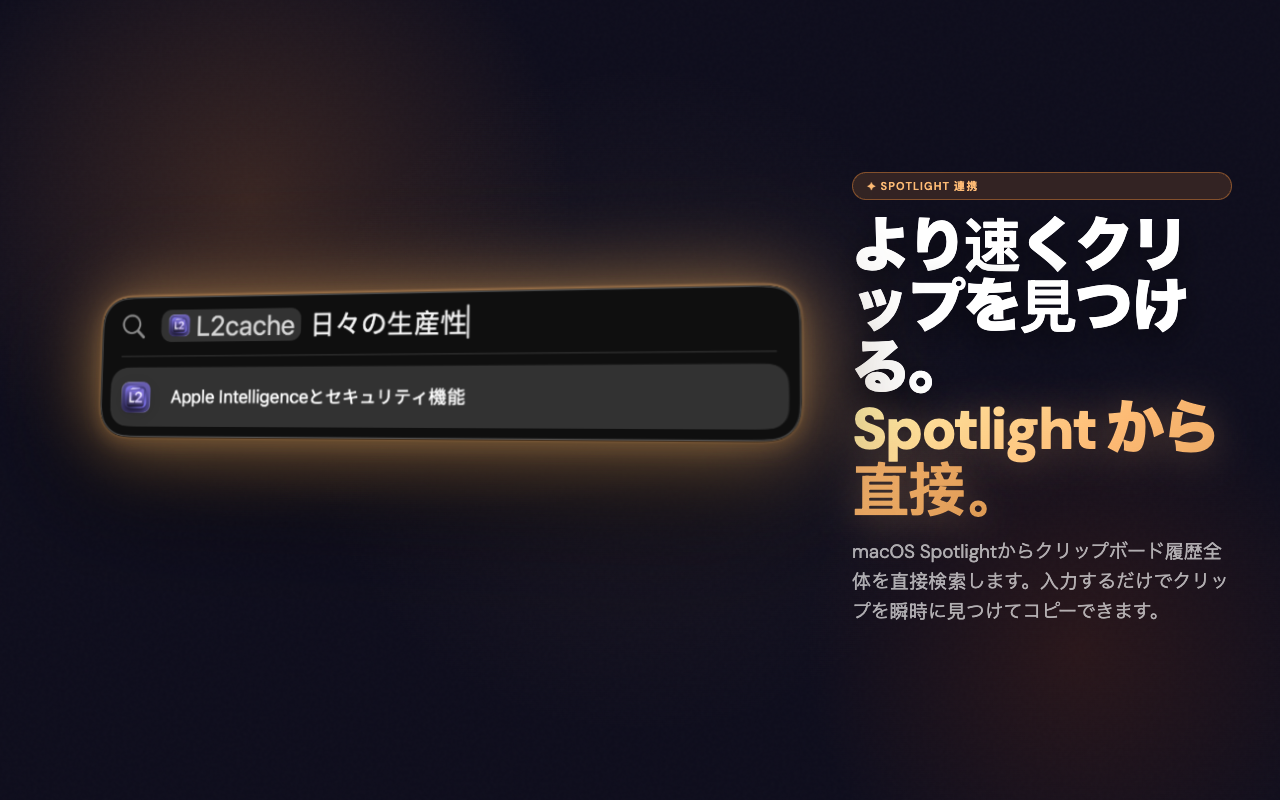
すべてを検索
すべてのクリップを横断した全文検索。スクリーンショットは、OCRによるテキストコンテンツで検索可能です。100ミリ秒未満で何でも見つけられます。
🛡
センシティブなレーダー
APIキー、クレジットカード番号、秘密鍵、SSN、WiFiの認証情報は自動的に検出され、非表示として保存されます。コンテンツはロックされたままになります — Touch IDまたはパスワードでロックを解除してコピーします。
📝
Screenshot OCR
Instantly extract and copy text from any screenshot or image using on-device optical character recognition.
🛠
SQL Mock Data Gen
Copy a SQL schema and let Apple インテリジェンス instantly generate mock CSV or JSON test data directly on your clipboard.
🔍
Regex pattern matching
Type standard Regular Expressions to filter your massive clipboard history natively. Instantly find AWS keys, IP addresses, or UUIDs using terminal grep-like syntax.
🗂
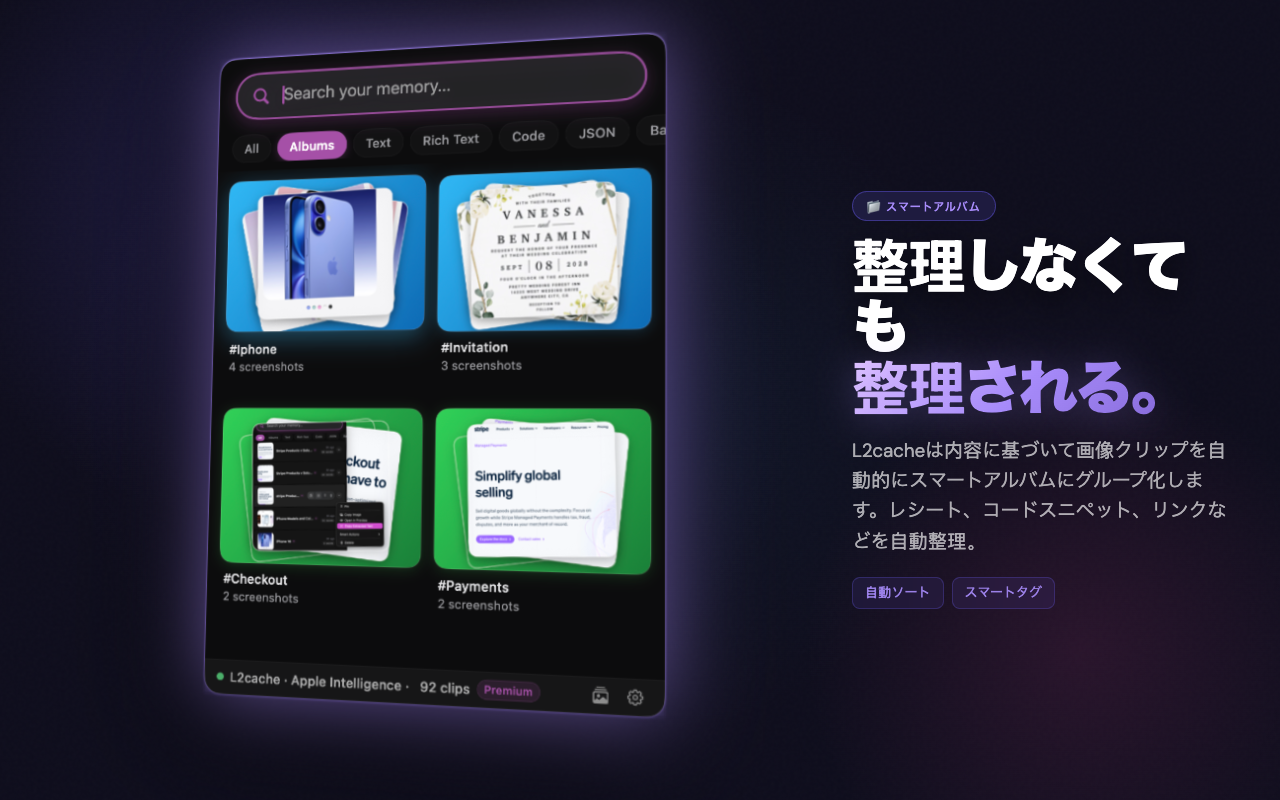
スマートアルバム
クリップは、コード、URL、画像など、タイプやコンテキストごとにアルバムに自動的にグループ化されます。アルバムごとに参照して、関連するクリップをすぐに見つけます。
📱
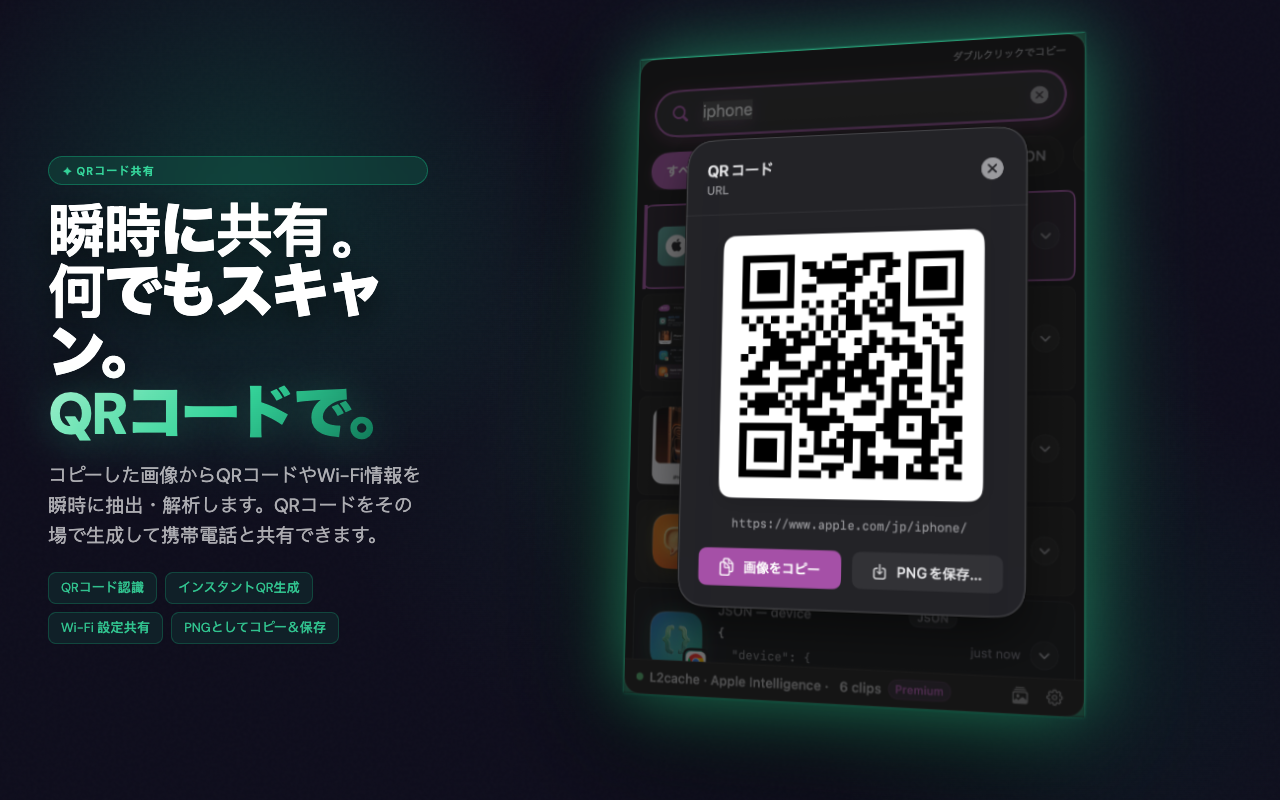
QRコードの生成
URL、テキスト、連絡先情報をコピーし、ワンクリックでQRコードを生成します。追加のアプリなしで即座に共有できます。
🖼
スクリーンショットのファイル名変更
スクリーンショットはAIを使用して自動的に名前が変更されます — もう「Screenshot 2025-06-18 at 10.34.02」ではありません。スクリーンショットの実際の内容で検索できます。
Wall of Love

Developers love L2Cache

Don't just take our word for it. Here is what engineers are saying.

★★★★★

"This is hands down the best clipboard manager for engineers. The ability to pipe my clipboard directly into a Ruby script without leaving my IDE is mind-blowing. It replaced Maccy for me."

S

Sarah J.

Senior Backend Engineer

★★★★★

"The Smart Actions are a game changer. Being able to extract a JWT payload or pretty-print JSON with a single shortcut saves me so much context switching every day."

M

Michael T.

Fullstack Developer

★★★★★

"Finally, a native macOS app that respects developers. It's incredibly fast, the SQLite search is instant, and the UI is absolutely gorgeous. Worth every penny."

D

David R.

iOS Engineer

シンプルで誠実な料金体系

No subscription. No upsell. 無料 while in early access — and everyone who joins now keeps it free for good.

無料
while in early access · join now, keep it free for good · all future updates included
L2Cacheをダウンロード

macOS 13 Ventura or later · 無料 while in early access — yours to keep for good